

Most of the ecommerce SEO work on a UK store happens on category and product pages and in the product data behind them. Some of it is unglamorous and easy to overlook: VAT-inclusive prices that match everywhere Google reads them, returns information, reviews that stay inside UK consumer law, and sale pages that keep their history from one year to the next.
This guide is for owners and in-house marketers running Shopify, WooCommerce, BigCommerce or Magento stores. Each Google point names the page it comes from, so you can look up the detail yourself. Where older advice no longer matches Google’s documentation, we say so.
What is ecommerce SEO?
Ecommerce SEO is search engine optimisation for online shops. It covers the pages and product data Google has to crawl and understand before shoppers can find your store in web results and the Shopping tab without you paying for each click.
The basics are the same as for any website, but the scale isn’t. A 30-page brochure site has 30 URLs to look after, while a store with 600 products, five filters and a sort menu can expose far more crawlable URLs than it has products. Stock runs out and comes back. A price drops for a weekend sale and goes back up on Monday, and a discontinued product leaves behind a URL that Google still has. Most of the ecommerce SEO problems we see on UK stores come from that churn.
Why is SEO important for ecommerce?
Organic search is the channel where a visit costs nothing at the moment of the click. Shopping ads stop when the budget stops. A category page that ranks for “women’s waterproof jackets” keeps sending shoppers for as long as it stays indexed and competitive, which is why stores that rely on Meta or Google Ads tend to look at SEO when ad costs climb. The work itself still costs time or money, so judge it on its payback period like any other channel.
One store we worked with shows what that looks like. Velour and Co, a Manchester fashion retailer on WooCommerce, had around 820 organic visits a month and took roughly 8% of its revenue from organic search. After a nine-month project on its crawl setup, category pages, product data and internal links, monthly organic traffic was 6,240 visits and organic search accounted for 41% of revenue. The Velour and Co ecommerce SEO case study has the full before and after figures. One store’s numbers won’t predict yours, because catalogue size and competition change the outcome.
Where your products can appear on Google
Google’s product structured data documentation describes two main classes of product markup: product snippets, for pages where people can’t buy directly (an editorial review page, say), and merchant listings, for pages where customers can buy from you. Either can also show price and availability in Google Images and Google Lens.
You can give Google product data in two ways: structured data on your product pages, and a product feed in Google Merchant Center. Google’s own guide to sharing product data recommends both, and the product documentation says that providing both “maximizes your eligibility” for these experiences.
AI Overviews and AI Mode don’t need a separate set of tactics. Google’s page on AI features and your website says there are no additional requirements and no special schema to add: a page has to be indexed and eligible to show with a snippet. The same page suggests keeping your Merchant Center and Business Profile information up to date. Clicks from these features are counted under the Web search type in the Search Console Performance report, so they won’t show up as a separate line.
How to do SEO for an ecommerce website
To do SEO for an ecommerce website, work in this order: find out what Google can and can’t index, map keywords to page types, improve category pages, improve product pages, then sort out filters, internal links, stock changes and structured data. The order is deliberate. New copy on a category page does little while Google is still crawling six filtered copies of it.
1. Start with what Search Console shows
Third-party audit scores are a starting point at best. Google Search Console shows what Google itself has done with your URLs, which is why it should be the first data source in any ecommerce SEO audit worth paying for. Four places in it answer most store questions.
- The Page indexing report (Indexing, then Pages). Look at the reasons listed under “Why pages aren’t indexed”, especially “Alternate page with proper canonical tag”, “Duplicate, Google chose different canonical than user”, “Crawled – currently not indexed” and “Soft 404”. Click into each reason and read the example URLs, because the pattern in them tells you which template is at fault.
- Crawl stats (Settings, then Crawl stats). If most requests go to URLs with ?sort= or filter parameters, Google is spending its time on copies of your categories.
- The Shopping reports, Merchant listings and Product snippets, which list structured data errors and warnings by product.
- The Performance report filtered to Country: United Kingdom, so you’re reading the queries of the market you sell to.
When we started on Velour and Co, Google was crawling 4,200 URLs when there were only around 890 canonical pages worth indexing. Filter and sort parameters had created thousands of URL variations, all of them open to indexing.
2. Map each keyword to one page type
Broad product searches such as “kids’ school shoes” or “oak dining tables” belong to category pages, and searches that include a brand and model name belong to product pages. A question like “how to measure a child’s foot for school shoes” needs a guide, with a link from that guide to the category. When two category pages chase the same phrase, they split the signals between them and often neither ranks well.
UK wording changes the targets. British shoppers search for trainers, jumpers, wellies and sofa beds, and a keyword list built on US data will push you towards sneakers and sweaters. Set Google Keyword Planner and any paid tool to United Kingdom, and check the live google.co.uk results before you commit a page to a term.
3. Give category pages something to rank with
For non-brand searches, category pages usually carry more commercial weight than product pages. Many stores give them a heading and a product grid, and nothing else. Velour and Co’s category pages averaged fewer than 50 words, which leaves Google little to tell one category from the next.
Write what a good shop assistant would tell someone standing in that aisle. For waterproof jackets, that might be what the hydrostatic head rating means for a wet commute, whether taped seams are worth paying for, which fabrics pack small for travel and how your sizing compares with the big high street brands. Keep a short introduction above the grid so products stay near the top on mobile, and put longer buying advice below it. Give each category its own title tag and H1 in the words shoppers use, and link to its subcategories.
Google doesn’t set a word count. On Velour and Co, all 18 core categories were rewritten at 300 to 500 words each. That was one store. A category with three products in a quiet niche may need two good paragraphs.
4. Write product pages from what you know
Manufacturer descriptions turn up word for word on other stockists’ sites. Your product page needs something theirs doesn’t. Measurements in centimetres and inches, materials and care, what’s in the box, which models a part fits, and sizing notes taken from your returns data (“comes up small, most customers go up a size”) all count. So do your own photos and genuine customer reviews.

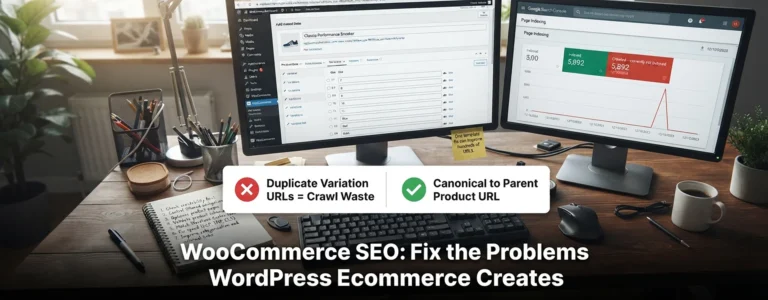
Variants need care. Google’s product variants documentation describes ProductGroup markup with hasVariant and variesBy, and says the site must be able to preselect each variant through a distinct URL using query parameters, such as ?size=10&colour=navy. That preselected URL should load with the right image, price and availability already showing.
5. Control filter and sort URLs
Filters are useful for shoppers and expensive for crawlers. Google’s faceted navigation guidance gives two routes. When filtered URLs don’t need to appear in Search, disallow them in robots.txt or apply filters through URL fragments. When some filtered pages should rank, such as “black leather ankle boots”, use the standard & separator between parameters and return a 404 for filter combinations with no results. If your filters sit in the URL path instead, keep them in a fixed order and don’t let the same filter appear twice. Google describes rel=”canonical” and rel=”nofollow” as “generally less effective in the long term” for this job.

The common mistake is stacking controls on the same URL. A URL blocked in robots.txt can’t be crawled, so Google never sees its noindex tag or canonical. Google’s robots.txt introduction also warns that a blocked URL can still be indexed, without a description, when other pages link to it. Pick one control per URL pattern and test it. On Shopify, the parameters to look for come from storefront filtering, for example ?filter.v.availability=1 or ?filter.p.vendor=. We walk through the full decision process in how to fix faceted navigation index bloat.
6. Build internal links the way shoppers browse
Google’s page on ecommerce site structure asks for plain <a href> links and a chain from menus to categories to subcategories to products. It suggests linking best sellers from the home page, and says it is “strongly recommended to link to all products that you wish indexed”. A product that only appears in on-site search results has no crawlable link pointing to it.
Pagination trips up a lot of stores. Google’s pagination guidance asks for a unique URL per page (?page=2 is fine) and an <a href> link from each page to the next. It also says not to use page one as the canonical for the whole series, and Google no longer uses rel=”next” and rel=”prev”. A “Load more” button on its own is a problem, because Google’s crawlers don’t click buttons, so keep real paginated links behind it.
7. Treat out-of-stock and discontinued products differently
A product that’s out of stock for a few weeks should keep its page. Leave it live, show the stock status, set availability to OutOfStock in your structured data and to out_of_stock in the Merchant Center feed, and point shoppers to close alternatives or a back-in-stock alert. Watch one WooCommerce setting here. Under WooCommerce, Settings, Products, Inventory, the “Out of stock visibility” box (“Hide out of stock items from the catalog”) takes those products out of your shop and category listings, and the links those listings gave them go too until stock returns. Tick it only if that’s what you want.
A product that’s gone for good is a different case. Redirect it with a 301 to a genuine replacement, such as the newer model, and return a 404 or 410 when there isn’t one. Google’s site move documentation warns against redirecting many old URLs to one irrelevant destination such as the home page, which “might be treated as a soft 404 error”. A blanket redirect of every discontinued product to its parent category carries the same risk when the category isn’t a real replacement.
8. Add structured data that matches the page
Product markup should describe what the shopper sees: name, image, brand, GTIN where you have one, and an Offer with the price in GBP and the current availability. Google also documents return policy and shipping policy markup, which can sit on product offers or at Organization level. Check the result in the Rich Results Test and in the Merchant listings report.
Know two limits before anyone sells you schema as a ranking trick. Google’s review snippet guidelines exclude self-serving reviews on pages using LocalBusiness or Organization markup, so reviews of your shop on your own home page won’t earn stars. Genuine product reviews make a product page eligible for review snippets, and eligible doesn’t mean guaranteed. Google has also deprecated FAQ rich results, which stopped appearing on 7 May 2026 according to the Search Central documentation updates. Adding FAQ markup to category pages won’t bring them back.
UK details that are easy to miss
VAT-inclusive prices, the same everywhere
Google Merchant Center’s help page on VAT-related price issues says that for every country except the United States and Canada, the price in your product data and on your website should include VAT, and the landing page price must match the feed. Missing VAT counts as an inaccurate price, and the same page says the account can be given a warning or suspended over it. Then look at what a visitor from outside the UK is shown. Google’s locale-adaptive pages guidance notes that Googlebot’s default IP addresses appear to be based in the USA, so a store that strips VAT for overseas visitors can show Google a different price from the one in its feed. On Shopify, check how your Markets and tax settings show prices to overseas visitors.
If you sell to the Republic of Ireland with euro prices, give the Irish version its own URLs and connect the two with hreflang (en-GB and en-IE), following Google’s guide to localised versions of a page.
Returns details that match your markup
For most online orders, GOV.UK’s guidance on online and distance selling says customers can cancel up to 14 days after their order is delivered, without giving a reason. Whatever returns policy you set, state the same window and the same delivery times (for example “2 to 3 working days with Royal Mail Tracked 48”) on your returns page, in Merchant Center and in your markup. Google’s return policy markup also takes a returnPolicyCountry property, the country the item is sent back to. For returns to a UK address, that’s “GB”.
Reviews under UK consumer law
Since 6 April 2025, the Digital Markets, Competition and Consumers Act 2024 has banned traders from submitting or commissioning fake consumer reviews, or reviews that hide the fact they were incentivised. Schedule 20 of the Act also counts hiding negative reviews while publishing positive ones as misleading, and the Trading Standards guide on reviews and endorsements adds cherry-picking good ones. Google’s review snippet guidelines point the same way: “Don’t include fake or undisclosed incentivized reviews”. In practice, don’t let your review app hide one- and two-star reviews, and label any review that came from a free sample.
Sale pages that keep their history
Keep one URL for each recurring sale, such as /black-friday/ or /boxing-day-sale/, and update it every year. A new /black-friday-2026/ page starts with no links and no history.
Which ecommerce platform is best for SEO?
No ecommerce platform is best for SEO in every case. Shopify, WooCommerce, BigCommerce and Adobe Commerce (Magento) can all support stores that rank well. The differences are how much control you get over URLs and robots.txt, and who looks after hosting and updates. We work on all four. The table below sums up what we see on UK stores.
| Platform | Hosting | URL and robots.txt control | Watch for |
|---|---|---|---|
| Shopify | Hosted by Shopify | Product and collection URLs sit under /products/ and /collections/; robots.txt edited through the robots.txt.liquid theme template | Filter parameters, product URLs nested under collections, scripts added by apps |
| WooCommerce | Self-hosted on WordPress | Full control through Settings, Permalinks and the server | Speed depends on hosting, theme and plugins; filter plugins add their own parameters |
| BigCommerce | Hosted by BigCommerce | Product and category URL patterns set under Settings, URL Structure; robots.txt edited under Settings, Website | Changing URL patterns later changes existing product URLs; tick the box to create 301 redirects for the old ones |
| Adobe Commerce (Magento) | Self-hosted or Adobe’s cloud | Full control, including URL rewrites and canonical settings for categories and products | Layered navigation parameters; needs regular developer time |
A store with 80 products and no developer will usually find Shopify easier to keep in good shape. A content-heavy store with WordPress support may prefer WooCommerce’s control, while large catalogues with complex B2B pricing often end up on Adobe Commerce or BigCommerce. Before you choose, or before you move, ask these questions of any platform or agency:
- Can we edit robots.txt, canonicals and meta robots per template?
- Can we control URL handles and add 301 redirects in bulk?
- Do filters create crawlable parameter URLs, and can we restrict them?
- Are category grids and pagination links in the HTML, or loaded by JavaScript after a click?
- Does the product markup include price, availability, GTIN and variants?
- Can product data reach Merchant Center without hand-built spreadsheets?
Replatforming is the riskiest SEO moment for most stores, because it can change almost every URL at once. Google’s site move documentation asks you to map every old URL to its new address, use server-side 301 redirects, update internal links, submit the new sitemap, and keep the redirects “generally at least 1 year”. It also advises changing one thing at a time, so avoid launching a redesign and a new URL structure in the same week.
Ecommerce SEO advice that is out of date
If an audit or agency proposal includes any of these, ask why.
- “Set up parameter handling in Search Console.” Google retired the URL Parameters tool in 2022.
- “Add rel=next and rel=prev to category pages.” Google no longer uses them.
- “Add FAQ schema to win more space in results.” FAQ rich results stopped appearing on 7 May 2026.
- “Block filters in robots.txt and noindex or canonicalise them as well.” Google can’t see either tag on a URL it’s blocked from crawling.
- “Canonicalise every paginated page to page one.” Google’s pagination guidance says not to.
- “Redirect every discontinued product to the home page.” Google says that kind of redirect might be treated as a soft 404.
Frequently asked questions
Is Google Shopping part of ecommerce SEO?
Yes, partly. Shopping ads are paid and sit in Google Ads. Free product listings and merchant listings come from your Merchant Center feed and on-page structured data, and you don’t pay per click for them, so feed quality is part of ecommerce SEO work.
Does an online shop need a blog?
No, not always. A blog earns its place when people search for questions before they buy, such as sizing questions or “which one should I get” comparisons, and each guide links to the category that answers the purchase. Posts written only to fill a content calendar rarely help a shop.
Can I use AI to write product descriptions?
Google’s guidance on generative AI content doesn’t ban it, but generating many pages without adding value may break its scaled content abuse policy, and it asks you to fact-check everything, including titles and alt text. Merchant Center also has its own rules for labelling AI-generated product text and images.
Where to start with ecommerce SEO this month
Open the Page indexing report and find your biggest group of non-indexed or duplicate URLs, then fix the template behind it before writing any new copy. Next, rewrite your five highest-earning categories with real buying advice and check that their products are linked with plain HTML links. If Merchant Center is flagging prices as inaccurate, fix that first, because it can end in an account warning or suspension. Returns details can wait for the next sprint.
If you’d like another pair of eyes on it, our ecommerce SEO service begins with a free audit of your store, and ongoing SEO is from £499 a month ex VAT.

Be the first to leave a comment below.