

In-Depth Guide
The Complete Guide to Managed Hosting
Our team has written a comprehensive guide covering technical specs, best practices, and the exact approaches we use on every project.
Even with the most beautiful design and clear copy, your website can lose customers before the homepage finishes loading. This isn’t a design problem. It is hosting.
For most UK business owners, hosting never comes to mind until something breaks. When a site goes down on a busy Saturday, or checkout starts timing out as traffic peaks, hosting suddenly becomes the most important conversation in the building. It is worth having that conversation before it becomes a crisis.
Managed Hosting vs Shared Hosting: The Direct Comparison
Here’s the honest breakdown UK businesses need before choosing between the two.
| Factor | Shared Hosting | Managed WordPress Hosting |
|---|---|---|
| Server configuration | Generic, shared across hundreds of sites | Built specifically for WordPress |
| Load times | Inconsistent, depends on neighbouring accounts | Consistently fast, resources dedicated |
| Uptime monitoring | Rarely included, reactive support only | Continuous monitoring with immediate alerts |
| Security | Basic, often outdated PHP and software | Hardened at server level, regularly patched |
| CDN and caching | Usually not configured | Set up and tuned as standard |
| Migration support | Self managed, high risk of downtime | Planned and executed with minimal disruption |
| Cost | Cheaper monthly, expensive in lost conversions | Higher monthly, cheaper in lost revenue terms |
Shared hosting isn’t always wrong. A hobby blog or a low-traffic brochure site can sit on it happily for years. Once a site starts taking payments, generating enquiries, or carrying real traffic though, the maths changes fast.
Why Server Infrastructure Matters More Than People Realise
Across the client sites we have audited and migrated, the biggest cause of slow load times is not large images. It is not too many plugins either. The fault usually lies with the server itself, sitting on shared resources it cannot scale beyond.
One of our clients, a homewares retailer in Manchester, came to us because their site slowed to a crawl every time they sent a promotional email campaign. The design was fine. The content was fine. The server simply could not handle the sudden influx of visitors, because it shared CPU and memory with dozens of unrelated accounts. Moving them to a managed environment with the right configuration resolved it completely, without a single line of theme or plugin code being changed.
That is the part most people miss. You can spend months optimising content and design and still lose visitors at the infrastructure layer.
What Actually Goes Into Managing a Server Properly
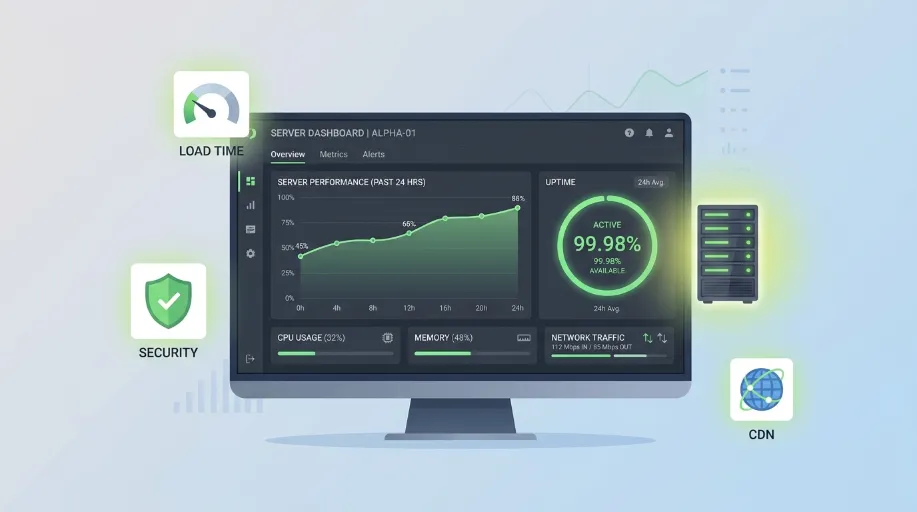
Server management isn’t a single task. It’s an ongoing set of responsibilities that sit underneath everything else your site does.
- Server configuration tuned for how WordPress actually handles requests, because default settings assume a generic PHP site and leave performance on the table.
- CDN setup so static assets are served from edge locations near the visitor, which also takes load off the origin server on every single request.
- Uptime monitoring running continuously, so an outage is caught within minutes instead of being reported by a customer hours later.
- Hosting migration planned around DNS propagation and email continuity, the two things that break most often when a move is rushed.
- Security hardening at the server level, covering firewall rules and SSL configuration that no plugin can replicate on its own.
- Performance tuning revisited as traffic patterns shift, because a configuration that suited last year’s traffic rarely suits this year’s.
None of this replaces the day to day upkeep a site needs. Plugin updates, content backups and general housekeeping are a different job entirely, and that’s exactly what our WordPress Maintenance service covers. We keep the two separated deliberately. Bundling server infrastructure and maintenance into one vague package is how things get missed.
The CDN Question Most Businesses Get Wrong
A lot of UK site owners assume a CDN is only worth having if they sell internationally. That’s not quite right.
Even a business trading purely within the UK benefits from a CDN, because it reduces the load on the origin server itself. Static assets like images and stylesheets get served from cached edge locations instead of hitting your server on every single request. Your server has less work to do, which means faster response times for every visitor, wherever they’re browsing from.
We’ve seen sites shave a full second off load time purely from proper CDN configuration, with nothing else changed. A second doesn’t sound like much until you remember that conversion rates typically drop with every additional second of load time.
Security Sits at the Server Level Too
Application level security, the kind covered by plugins and login protection, only handles part of the picture. Server level security is a separate layer entirely, covering things like firewall rules, outdated PHP versions, and SSL certificate management.
We regularly find sites running on PHP versions that were deprecated years ago, simply because nobody at the hosting level flagged it. That’s not a WordPress problem. That’s a server management gap. If you’re unsure whether your current setup has these basics covered, our Website Security Audit looks specifically at where those gaps sit, both at application and infrastructure level.
Hosting and Rankings Are More Connected Than You’d Think
Page speed has been a confirmed ranking signal for years, and Core Web Vitals sit within Google’s page experience signals. Server response time is at the very top of that chain: the browser cannot begin rendering your page until the server has responded. A slow server drags down every metric that follows, no matter how well optimised your images and code are.
If hosting speed has been flagged as an issue during a wider SEO review, it’s worth looking at the bigger technical picture too. Our Technical SEO Agency UK team often finds that server response time is the first thing holding a site back from meaningful ranking improvements, before content or backlinks even come into the conversation.
Getting the Balance Right
Not every business needs the most expensive managed hosting tier on the market. What matters is matching the server to the actual traffic, transaction volume, and uptime requirements of the site sitting on it. A five page brochure site and a WooCommerce store processing daily orders have completely different infrastructure needs, and treating them the same way is where a lot of UK businesses end up overpaying for the wrong things, or underpaying for hosting that genuinely can’t cope.
That assessment is where a proper hosting review earns its keep, long before any migration or reconfiguration work actually begins.