
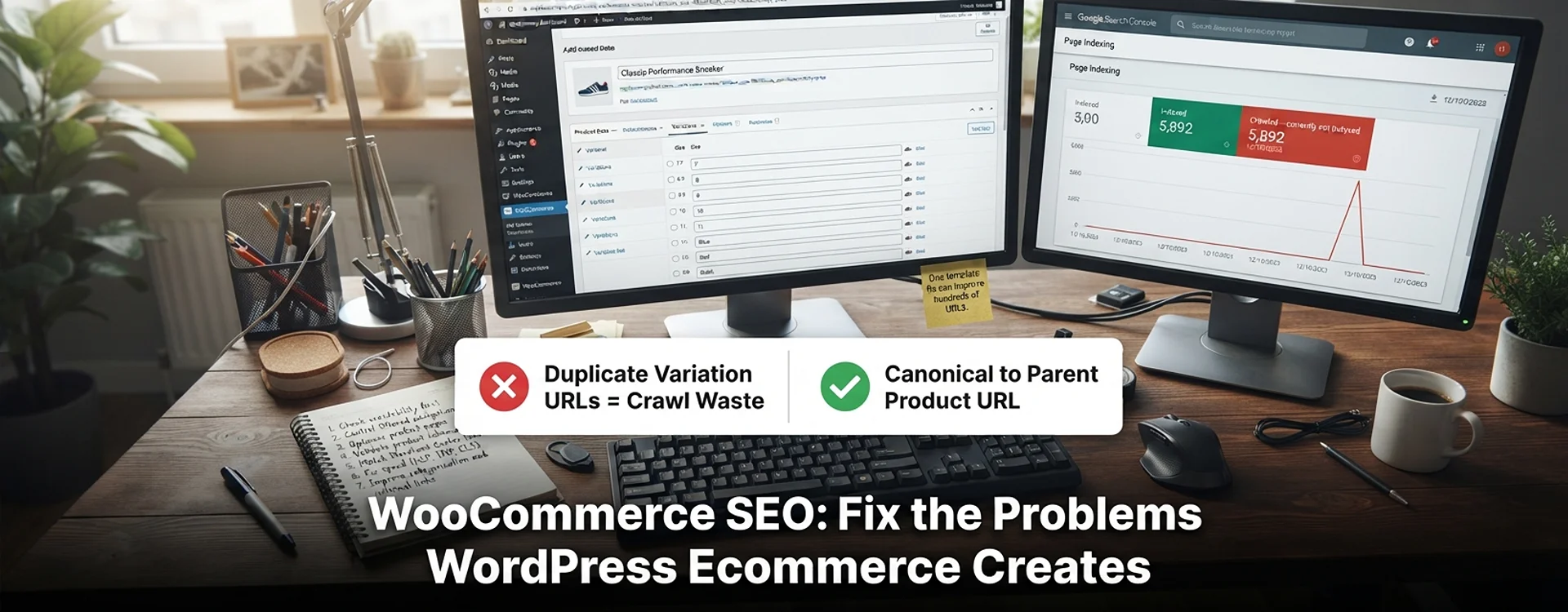
WooCommerce SEO can be difficult due to technical and content-related barriers. This includes duplicate content due to variations, poor category pages, slow page speed, crawlable filtering, and inconsistent product data. A good WooCommerce SEO strategy will ensure that website architecture issues are addressed and improve the product pages, schema, and page speed. With a significant amount of online retail taking place in the UK (29.2% of total retail sales were made online in October 2026, according to the Office for National Statistics’ first estimate), this means that fixing these issues will have a significant impact on visibility and therefore sales. If your store needs expert support, a UK SEO agency like Webranko can audit your catalogue and prioritise the fixes that matter most. Our WooCommerce SEO case study shows how that worked for a UK fashion retailer.
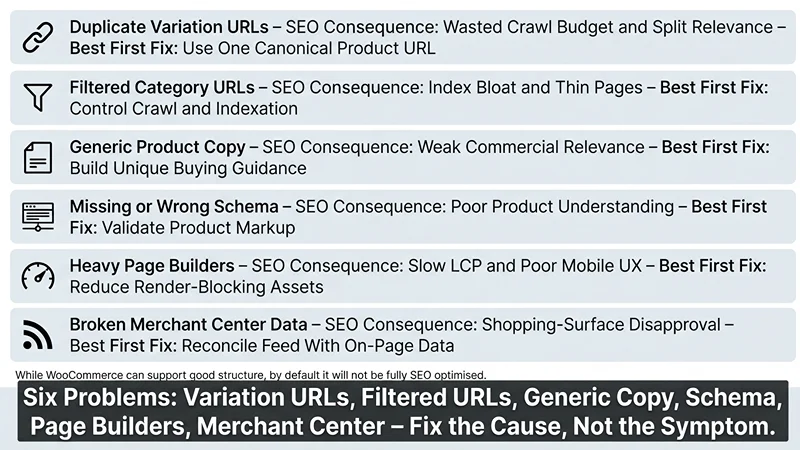
| Store problem | SEO consequence | Best first fix |
|---|---|---|
| Duplicate variation URLs | Wasted crawl budget and split relevance | Use one canonical product URL. |
| Filtered category URLs | Index bloat and thin pages | Control crawl and indexation |
| Generic product copy | Weak commercial relevance | Build unique buying guidance. |
| Missing or wrong schema | Poor product understanding | Validate product markup |
| Heavy page builders | Slow LCP and poor mobile UX | Reduce render-blocking assets. |
| Broken Merchant Center data | Shopping-surface disapproval | Reconcile feed with on-page data. |
Ensure a logical site structure from menus to categories to subcategories to products. While WooCommerce can support good structure, by default it will not be fully SEO optimised. Our eCommerce SEO services focus on exactly this, covering category structure, product pages, schema, and internal linking for UK online stores.
How to fix WooCommerce SEO: 7-step implementation plan
1. Ensure correct crawlability.
Within Google Search Console, review pages by filtering by ‘Indexing’. Ensure product, category, tag, and filtered URLs are being crawled. Identify any issues, including “Crawled – currently not indexed”, “Discovered – currently not indexed”, noindex, redirect chains, or blocked pages.
Check your sitemap to ensure you are including indexable pages (products, categories, and information) and excluding cart, checkout, user account, thank you, and utility pages. Submit the sitemap in Search Console. However, do not assume that pages will be indexed just because they’re in the sitemap. As WooCommerce’s own ecommerce SEO guide recommends, create and submit your XML sitemap and check indexed pages. Common mistake: Sitemaps are submitted, but many unimportant filtered URLs may be included. This means you may be losing page priority from important money-making pages.
2. Filtered Navigation and Tag Pages
While filters are great for users, if there are many combinations of filters, such as colour, size, price, brand, and in stock, a large number of empty URLs can be created. Only index filtered views that have high value, real search volume, and enough unique content. For a detailed walkthrough, see the guide on how to fix faceted navigation SEO and control filter URL index bloat.
In general, only index core category pages. Product tag archives often repeat products already listed in your categories, so consider noindexing them unless a tag page has a clear purpose and content of its own. If important filtered landing pages exist, ensure they have clear unique intent and content. Avoid wasting crawl budgets on endless URL variations. Be intentional with robot rules, canonical tags, and internal linking. Rather than simply using a plugin setting, ensure the HTML output is correct by testing.
A filtered page for blue running shoes under £50 may warrant indexing if it contains useful comparative information and consistent demand. A filtered page for blue, size 8, in stock, sorted by price usually would not.
3. Product Page Optimisation
Ensure that product pages include enough information to answer questions from potential customers. Include what the product is, who it is suitable for, what it is made of/technical specifications, sizes, shipping information, returns, compatibility, and why this product should be chosen over others.
Within your product page content (WooCommerce product page SEO), ensure the main keyword is used in the title, H1, URL, introductory content and one descriptive heading. Avoid keyword stuffing. Ensure content is written with someone comparing products in mind.
Use a repeatable product-content framework:
- What it is: a concise, specific opening description.
- Who it is for: use case, fit, skill level, or business need.
- Key specifications: dimensions, materials, compatibility, capacity, or ingredients.
- Delivery and returns: UK delivery expectations, dispatch cut-offs, and returns policy.
- Buying objections: price, sizing, durability, compatibility, or alternatives.
- Proof: genuine reviews, specifications, certifications, or original photography.
If supplier content is very thin, this may be an issue. If you are selling the same product as many competitors, offer additional information to add value. Include sizing advice, compatibility information, UK delivery, comparison tables, and in-depth product knowledge.
4. Product structured data
We can improve the display of prices, availability, ratings, delivery info, and other product details in search results by using product structured data. If products are sold on the site, we must ensure we are using the correct structure for either merchant or editorial products in Google.
Don’t see schema as a ranking signal. As long as the data is correctly applied, Google will be able to better understand what offer you have and may give rich results. Check some product pages using the Rich Results Test tool. Using the URL Inspection tool, ensure Google can crawl the page (no robots.txt, noindex, or login issues).
Some common issues to look out for include discrepancies between the review data and reviews on the page or product availability not matching stock levels. Ensure all three sources (page, schema, and Google Merchant Center) are consistent.
5. Google Merchant Center
Using Google Merchant Center alongside on-page SEO within your WooCommerce store will improve Google’s understanding of your products. Structured data on the page improves the understanding of individual products, while the Google Merchant Center feed provides Google with direct commerce data. As a result, we can gain shopping features and free listings.
Ensure that titles, descriptions (where applicable), GTINs, brand names, prices, availability, images, delivery info, and return info are consistent between the product within the store, schema, and feed. If these are inconsistent, even if the page is performing well within organic results, Merchant Center may warn the account or disapprove the products.
Best practice: Use the product data within the page as the source of truth. Ensure the data in the feed matches this. Don’t include any data in the feed that isn’t included on the product page.
6. Optimise Speed
WooCommerce speed SEO matters because slow product templates damage user experience and can affect how Google evaluates page experience. Google’s thresholds are LCP at or below 2.5 seconds, INP at or below 200 milliseconds, and CLS at or below 0.1.
Focus on the product and category templates first:
- Compress and correctly size images; use modern formats where supported.
- Remove unused page-builder modules, sliders, pop-ups, and scripts on product templates.
- Defer non-critical JavaScript and audit third-party tags.
- Use a caching layer, a PHP version supported by your host, and a reliable UK- or EU-friendly CDN setup.
- Reserve space for images and review widgets to prevent layout shift.
- Test on mobile connections, not only desktop.
A common issue with speeding up WooCommerce is overlapping plugins. Having multiple SEO, schema, caching, security, translation, and marketing plugins can mean many scripts and content are being added. Before adding any new optimisation plugins, take a look at what is loaded on a product page to ensure there aren’t overlaps.
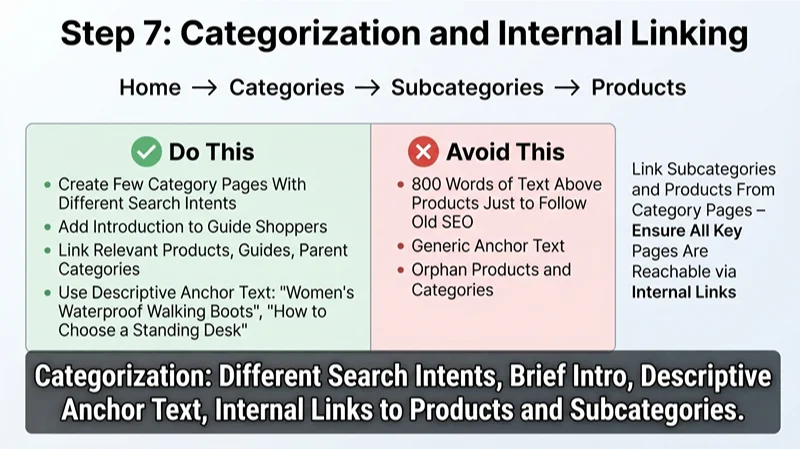
7. Categorisation and Internal Linking
In addition to product pages, we should create a few category pages within our WordPress store. Each category page should aim to target different search intents. Only add an introduction to help guide shoppers. Don’t add 800 words of text above products just to follow old SEO best practices.
Internal link relevant products, guides, and parent categories. Use descriptive anchor text such as “women’s waterproof walking boots” or “how to choose a standing desk.” Avoid using very generic anchor text. We recommend linking subcategories and products from category pages to ensure all key pages on your site can be found via internal links.
WooCommerce SEO Plugin
Ensure the plugin allows title, meta descriptions, XML sitemap, breadcrumbs, redirects, and schema to be modified. Even so, having an efficiently structured website is key to good SEO. Some popular options include Yoast SEO, Rank Math, and Slim SEO Pro, an extension sold on the WooCommerce Marketplace that adds schema, link management and a writing assistant.
Select a plugin depending on your requirements:
| Need | Better fit |
|---|---|
| Straightforward metadata, sitemaps, and readability checks | Yoast SEO, plus the paid Yoast WooCommerce SEO add-on |
| More granular schema and advanced controls | Rank Math |
| Lightweight WooCommerce-focused schema and technical SEO | Slim SEO Pro |
| Large catalogue with feed requirements | SEO plugin plus Merchant Center workflow |
| Complex multi-language or multi-country store | SEO plugin plus dedicated translation and hreflang workflow |
Avoid running two SEO plugins at once. This could cause duplicate schema, conflicting canonical tags, and duplicate sitemaps.
Pro-tips
From testing this across multiple implementations:
- Fix the product template before chasing individual keyword rankings; one template change can improve hundreds of URLs.
- Check Google’s rendered HTML, not just the WordPress editor; JavaScript-injected schema or content may not appear as expected.
- Treat discontinued products carefully: redirect only when a close replacement exists; otherwise, retain a useful, clearly marked unavailable page.
- Audit category pages for cannibalisation; two categories targeting the same phrase usually need clearer differentiation or consolidation.
- Prioritise best-selling and highest-margin products first; improving every SKU at once often delays measurable progress.
FAQs
Is WooCommerce SEO friendly?
WooCommerce can be very SEO-friendly. With custom URLs, content, schema, and plugins, it can perform well. The performance depends on how well it is implemented. Crawlability, product data, page speed, internal links, and quality of content are much more important than stating that it is on the right platform.
Why are products in WooCommerce not appearing in search?
Check that the URLs are not blocked in robots.txt, don’t have noindex tags, are included in the sitemap, don’t redirect, and don’t have thin or duplicate content. In Google Search Console, go through the URL inspection tool to investigate a few example products. Fix any overall issues with the templates or plugins on the site, rather than requesting individual URLs to be indexed.
How do I fix duplicate content for product variants?
Give product variants clear URLs, and implement canonical tags appropriately. Google says each variant should be reachable at its own URL, for example with a query parameter that preselects it. When all variants share one product page, as they do by default with WooCommerce variable products, use one canonical URL for the whole product group: the base product URL with no variant preselected. Ensure that both the internal links and sitemaps point to the correct canonical URL.
Will WooCommerce slow down my website?
Potentially. However, this is generally due to large images, too many plugins, inefficient themes, render-blocking resources, poor hosting, or heavy page builders. Check Core Web Vitals on product/category pages, and work to remove/replace elements that are slowing down the page.
Should out-of-stock products be indexed?
Potentially, if they will be restocked, if there is search volume for them, or if they can be used to direct users to alternative products. Clearly state that products are out of stock, and if restocking dates are known, give this information. Give suggestions for similar products. Only remove a product page when the product is permanently discontinued, and redirect it only when a close replacement exists.
How to get WooCommerce products to appear in Google Shopping?
Create a Google Merchant Center account, create accurate product feeds, and enable the correct listing experience. Ensure structured data on the product page matches the product feed. Google’s product structured data documentation says that providing both structured data and a Merchant Center feed maximises your eligibility.
Can I rank a small WooCommerce site in the UK?
Yes! Focus on having a clear niche, accurate product information, helpful purchase information, good categorisation, and a credible author/business. Including information about delivery, returns, sizing, and compliance in the UK can make product pages much more useful to UK users.
Your next actions
- In Search Console, view the pages report. Export any problematic URLs.
- Check the titles, schema, canonical tags, images, and stock status across 5 high-selling products.
- Check URLs in categories/filters. Decide which pages should be indexed.
- Check Core Web Vitals on your main product page. Remove the heaviest non-essential resources.
- Ensure data in your products matches data in your Merchant Center feed.

Be the first to leave a comment below.