
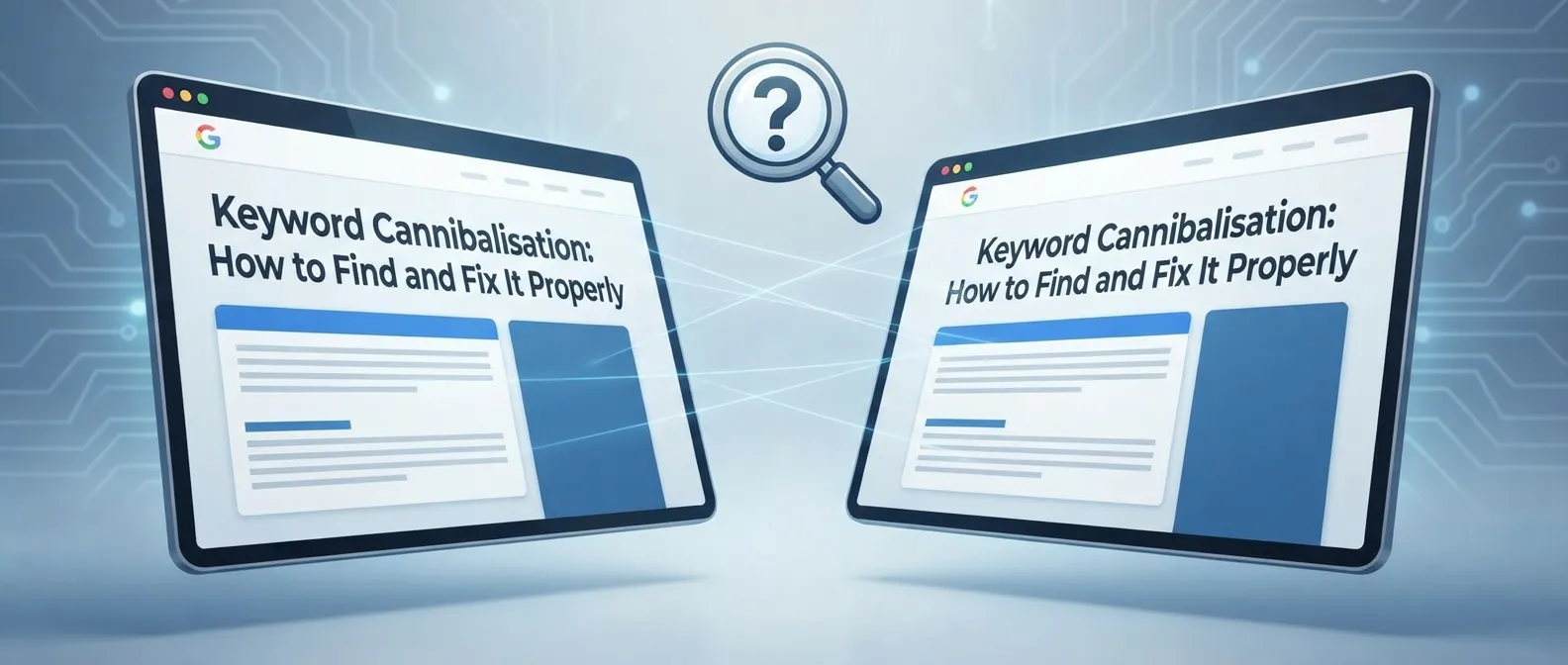
Keyword cannibalisation happens when two or more pages on your website compete for the same search term. They also meet the same visitor need. The result can be unstable rankings.Your internal links may be weaker. You may get fewer conversions. Google may choose a page that is not your best answer. Clear keyword research and intent mapping can prevent this problem before competing pages are published.
It sounds alarming. Sometimes it is. Yet seeing several URLs get impressions for one phrase isn’t automatic proof that something has gone wrong. Google may test different pages, especially where a search can mean more than one thing.
Keyword cannibalisation becomes a genuine SEO problem when your pages overlap in topic, intent and commercial purpose, leaving Google to guess which URL should represent your business. For a UK service business, that can mean a useful service page loses visibility to an older blog post, or two location pages chase the same local enquiry.
What it looks like in practice
Imagine a plumbing company has these two pages:
- “Emergency Plumber in Manchester”
- “24 Hour Emergency Plumbing Services in Manchester”
If both pages promise the same urgent callout service, target the same area and contain nearly identical information, they are likely competing. Neither page has a clear reason to exist separately.
Now compare that with these pages:
- “Emergency Plumber in Manchester”
- “What to Do When a Pipe Bursts at Home”
Both may appear for searches around burst pipes. Still, they serve different needs. One helps somebody hire a plumber. The other explains immediate safety steps. That is not necessarily cannibalisation. In fact, a sensible internal link from the advice article to the emergency service page can help the visitor and clarify page roles.
So why does this keep happening? Content grows in fragments. A new service gets added. A freelancer writes an article around a phrase that already has a service page. A local landing page is copied and lightly edited. Six months later, nobody remembers why both URLs exist.
How to find competing pages
Start with a small list of valuable queries. Prioritise terms connected to enquiries, bookings, quotes or high value services. There is little value in spending hours on a low traffic phrase if your core service pages have unclear positioning.
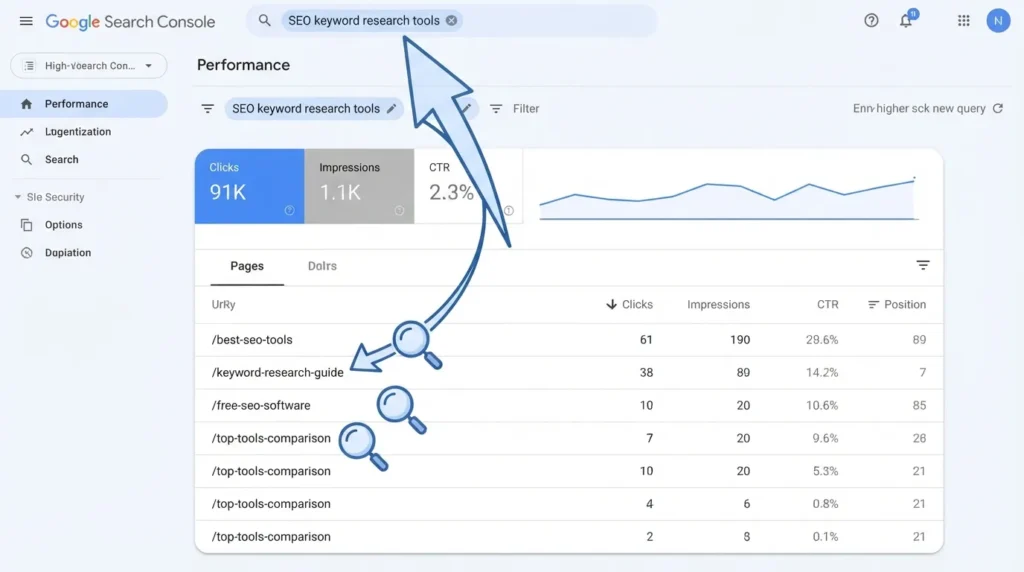
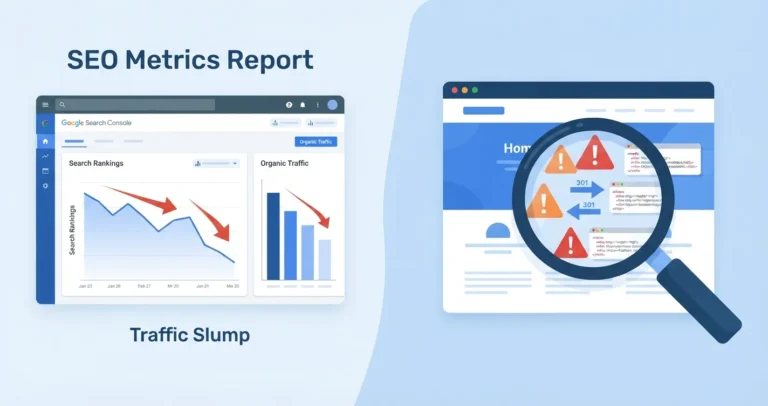
Google Search Console is the most useful free starting point. Its Search results report lets you review the pages that received impressions and clicks for a particular query. Multiple URLs may appear for a query, but the important question is whether the pages have the same purpose. The same query set can also support an AI citation rate audit for UK businesses where search visibility and AI answer visibility overlap.
A practical audit process
| Step | What to check | What it tells you |
|---|---|---|
| 1 | Choose a priority query in Search Console | Focuses the audit on a phrase that matters commercially |
| 2 | Open the Pages tab for that query | Shows URLs Google has associated with the search |
| 3 | Compare page titles, headings and calls to action | Reveals whether pages target the same visitor need |
| 4 | Review clicks, impressions and average position, then conversions in GA4 | Helps identify the strongest page to keep |
| 5 | Search your own site for the phrase | Finds older articles or thin pages missed in a spreadsheet |
| 6 | Decide whether to merge, differentiate, redirect or retain | Turns a vague issue into a controlled action |
Use a meaningful date range. Three to six months is often more reliable than a fortnight, because rankings naturally shift and a short period can make harmless fluctuation look like a crisis.
Watch for URLs that swap places over time. If Google alternates between two of your pages for the same query from week to week, that pattern is a far stronger signal than two URLs simply appearing in the report.
A quick Google search can also help: site:yourdomain.co.uk "your target phrase". It is not a full audit method, but it often reveals old pages, tag archives or duplicate location content that deserve a closer look.
Decide before you fix
In practice, the most common mistake is choosing a technical fix before deciding what the user actually needs. A 301 redirect is powerful, but it is not a tidy up button for every overlap.
Use this decision guide.
Merge pages when the intent is identical
Merge content if both URLs answer the same question, promote the same service and target the same audience. Keep the stronger URL, move across genuinely useful material, update the title and headings, then redirect the retired page with a 301 redirect.
Choose the stronger page based on more than rankings. Look at backlinks, relevant traffic, conversion history, page quality and whether its URL suits your site structure. A page ranking in position eight may still be the right keeper if it has the clearest service purpose and trusted external links.
Differentiate pages when the intent is distinct
Keep both pages if each one has a clear and useful role. One may address price, another may explain the service process, and a third may serve a particular town where you genuinely operate.
Make the distinction obvious. Change titles, main headings, copy, imagery, calls to action and internal anchor text. Do not simply replace a few keywords. A visitor should be able to tell within seconds why this page exists instead of another one.
For example, a page about “SEO audit services” should encourage a business owner to request an audit. A separate article on “how to run an SEO audit” can teach the method, include a checklist and point readers towards the service when professional help makes sense.
Use canonical tags only for genuine duplicates
What often gets missed is the difference between a canonical tag and a redirect. A canonical tag tells Google which version you prefer when URLs have duplicate or very similar content. A 301 redirect moves visitors and search engines permanently to a replacement page.
Do not add a canonical tag to two pages with different copy and hope Google will solve unclear targeting. Google treats canonical signals as guidance when it finds duplicates or close equivalents. It does not replace a proper content decision.
Delete only when there is no value to preserve
Deletion is appropriate for thin pages with no traffic, links, conversions or useful content. In that case, letting the URL return a 404 or 410 is fine. If the retired URL has meaningful value, redirect it to the closest relevant replacement instead. Sending every old article to the homepage is rarely helpful for visitors or search engines, and Google may treat an irrelevant redirect as a soft 404.
Internal linking can strengthen the right page
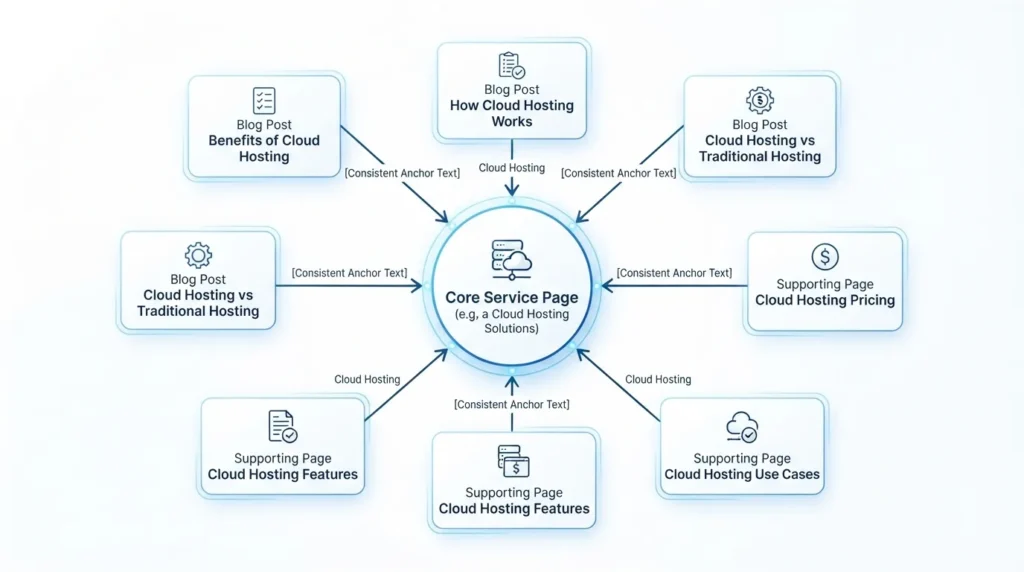
Internal links do not create cannibalisation by themselves, but inconsistent linking can blur your site’s priorities. If half your blog posts link the words “boiler repair” to an old article and the other half link to your core boiler repair service page, you are giving mixed signals.
Choose one primary URL for each important commercial theme. Then update internal links so descriptive anchors consistently point to that page where appropriate. Keep it natural. Not every link needs the exact target phrase.
If you are rebuilding this structure across several services, our UK SEO consultant service can help identify which pages should lead and which should support them. For a wider review of local visibility, see our local SEO checklist for small businesses.
Prevent it next time
The simplest defence is a keyword map. Before publishing, record the main purpose of the new page, its primary query theme, intended audience, funnel stage and proposed URL. You do not need a complicated spreadsheet with hundreds of columns. You need clarity.
Check the map before approving new blogs, service pages and location pages. If a proposed page overlaps with an existing one, decide whether it adds a new perspective or merely repeats the same promise in different words.
For UK businesses serving several towns, be especially careful with location pages. A page for Leeds and a page for York can be useful if each includes real local relevance, service detail and proof of availability. Swapping town names in the same 500 words will not create meaningful pages, and Google’s spam policies on doorway pages cover exactly this pattern.
A good fix is rarely dramatic. Audit the pages that matter most, choose the URL that deserves to lead, and give every remaining page a distinct job. Done properly, keyword cannibalisation becomes less of a mysterious ranking problem and more of a useful prompt to make your website clearer for customers and Google alike.
For practical support with site structure, content priorities and search visibility, Webranko’s SEO team can help identify where pages are competing unnecessarily.
Frequently asked questions
What is keyword cannibalisation in SEO?
Keyword cannibalisation is when multiple pages on one website compete for the same or very similar search query and fulfil the same intent. It can make rankings unstable because Google must choose between pages that appear equally relevant.
Is keyword cannibalisation always bad?
No. Multiple URLs appearing for one query can be normal when the search is broad or when pages serve different purposes. It is a problem when the pages are interchangeable and compete for the same visitor, conversion and core topic.
How do I find keyword cannibalisation in Google Search Console?
Open the Search results report, select an important query, then review the Pages tab. Compare every ranking URL’s purpose, content and clicks, then check conversions in GA4. A list of pages alone is not proof, so assess search intent before changing anything.
Should I merge or redirect cannibalising pages?
Merge and redirect pages when they satisfy the same intent and one URL can become the clearly best result. Keep separate pages when they answer distinct questions, then strengthen their differences through content, headings and internal links.
Can internal links cause keyword cannibalisation?
Internal links usually do not cause the underlying issue, but inconsistent anchor text can make your preferred page less clear. Link relevant pages to the main URL for a service or topic, while keeping anchors useful and natural for readers.
What is the difference between duplicate content and keyword cannibalisation?
Duplicate content involves identical or very similar page content, often across multiple URLs. Keyword cannibalisation concerns pages competing for the same search intent, even when their wording differs. Duplicate pages may cannibalise each other, but not every cannibalisation issue is duplication.

Be the first to leave a comment below.