
In-Depth Guide
The Complete Guide to SSL Management
Our team has written a comprehensive guide covering technical specs, best practices, and the exact approaches we use on every project.
A padlock in the address bar tells a visitor almost nothing about what is actually happening underneath it. We’ve lost count of the sites we’ve checked where SSL was technically installed, yet the browser was quietly flagging half the page as insecure anyway.
Most business owners assume SSL is a one time job. Install it once, see the padlock appear, move on. The reality is messier than that, and the gap between looks secure and is secure is exactly where most of the risk sits.
SSL Certificate Issues
Here’s the breakdown UK businesses need before assuming their setup is actually correct.
| Issue | What It Means | Why It Gets Missed |
|---|---|---|
| Mixed content | Some page resources still load over HTTP despite SSL | Padlock still shows, warning is easy to overlook |
| Expiring certificate | Renewal date approaching with no automated process | Nobody is watching the expiry date |
| Redirect chains | HTTP to HTTPS routed through multiple unnecessary hops | Site still works, just loads slower |
| Wrong domain coverage | Certificate missing a subdomain or www variant | Only noticed when that specific page breaks |
| Outdated TLS support | Old, insecure protocol versions still enabled | Rarely checked unless a security scan flags it |
| Manual renewal only | No monitoring, relies on someone remembering | Works fine until the one time it doesn’t |
None of these show up as an obvious red flag most of the time. They sit quietly until a certificate lapses on a Saturday morning, or a customer emails asking why their browser says the site isn’t secure.
Why a Valid Certificate Doesn’t Guarantee a Secure Page
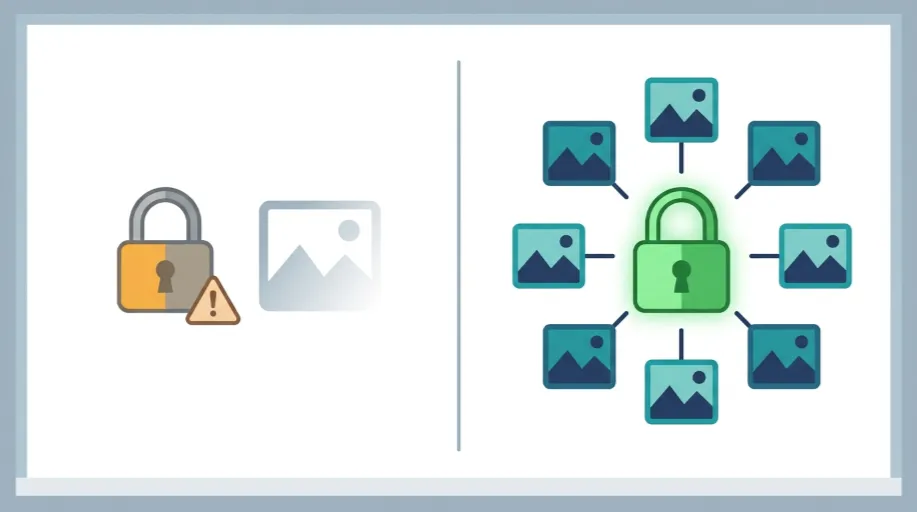
In our testing across client sites, mixed content is the single most common issue we find, and it’s almost never intentional. It usually comes from an old image reference in a theme file, a third party widget loading its own assets over HTTP, or content pasted into a page years ago before the site moved to HTTPS at all.
We worked with an outdoor retailer based in the Midlands whose product pages were showing an intermittent security warning, appearing on some pages and not others. Their certificate was valid. Their redirect setup was fine. The actual cause was a handful of product images still referenced with an old HTTP link from a migration three years earlier. One small oversight, sitting there quietly undermining the padlock on every page it touched.
That’s the pattern worth understanding. SSL isn’t a switch you flip once. It’s a configuration that needs checking properly, page by page, resource by resource.
What Proper SSL Management Actually Involves
Getting this right means going beyond installation and actually verifying the whole chain works as intended.
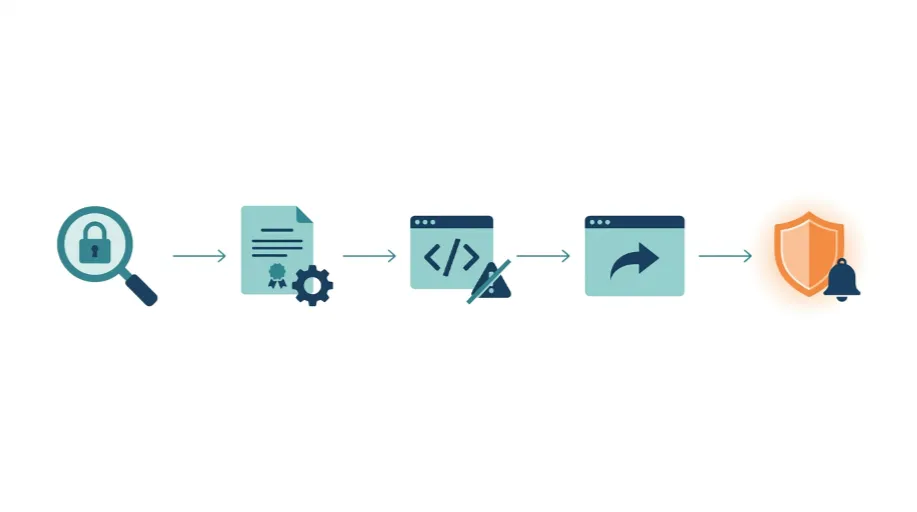
- Certificate installation matched correctly to your domain, including any subdomains that also need coverage
- Mixed content scanning across every page, catching insecure image, script and stylesheet references before a visitor does
- Redirect configuration that sends HTTP traffic to HTTPS in a single clean step, not through unnecessary chains that slow load time
- TLS configuration review confirming outdated, insecure protocol versions aren’t still quietly supported
- Renewal monitoring with alerts set well ahead of expiry, so nothing lapses without someone knowing in advance
- Cross browser testing confirming the padlock genuinely shows clean, not just in the browser someone happened to check
Skip the checking and you’re left with a certificate that technically exists while the actual security posture of the site remains half finished.
Where SSL Overlaps With Wider Security
Even though SSL is important, it isn’t the only thing. Only having HTTPS properly configured doesn’t mean that a website is secure and its information is safe. Since there may still be unpatched vulnerabilities. This would include outdated plugins, weak login protection, poor file permissions, etc.
It can certainly be worth your while to get to the bottom of things if there are SSL issues and a bigger issue regarding how secure your site really is. That’s precisely what our Website Security Audit will do. The tool checks SSL and also checks the other layers which together decide does a site is actually secure or not. It is not enough to display just a padlock that looks reassuring.
The Server Underneath Matters Too
The server where the certificate resides ultimately determines certificate installation and renewal. Some hosting environments manage your renewal automatically hassle-free. Some certificates require manual reissuing and reinstalling every few months exactly the kind of tedious work that gets forgotten until it’s too late.
If your current hosting does not allow for automated renewal or the server configuration makes SSL management harder than it should be, it is often indicative that the underlying infrastructure requires scrutiny. Our Website Hosting and Server Management service ensures that your server is configured correctly, including ensuring proper SSL renewal instead of relying on someone to remember a date on a calendar.
SSL and Search Rankings Are More Connected Than Expected
Google has been using HTTPS as a ranking signal for years, but the impact is greater than a yes-or-no on whether a site has that certificate. Warnings about mixed content, redirect chains and two URLs of the same page HTTP and HTTPS are all leading to duplicate confusion and slowing crawling. All this is silently affecting the performance of any site in search.
Redirect chains have, on their own, added measurable delay to page load which then gets flagged as a Core Web Vitals issue. Totally unrelated to design or content. According to our Technical SEO Agency UK, if your site has undergone a large technical audit, issues relating to SSL configuration tend to come up along with crawl and speed issues that retract ranking power from the site.
Getting the Full Picture Right
The padlock icon was never meant to be the finish line. It’s a visual shorthand for something that needs checking properly underneath, the certificate itself, every resource the page loads, the redirect path a visitor actually takes, and whether renewal is something anyone is actually watching.
Most of the sites we review have SSL that’s mostly correct, which sounds fine until you realise mostly correct still leaves a visible warning waiting to appear at the worst possible moment. Getting it properly checked once, then monitored afterwards, removes that risk entirely rather than hoping nobody notices the gap.