In-Depth Guide
The Complete Guide to Venue Web Design
Practical advice on Venue Web Design from our team, based on the approach we use on every project.
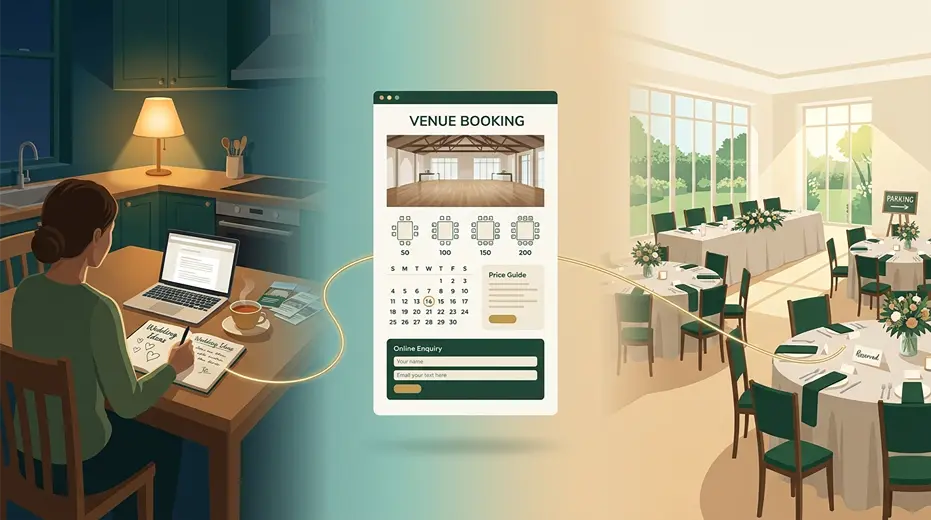
A planner with a Saturday in June in mind does not want a brochure. She wants to know two things, whether the date is free and whether ninety guests will fit. If your website cannot say, she sends the same email to five venues and books whichever one replies first.
The venue website design most owners ask about usually starts with photographs and colours. We prefer to start with the questions. When the site answers the date, the numbers and the price early, the enquiries that reach you are ready to be quoted.
What a Planner Needs Before They Enquire
Think about the person arriving on your site. She might be a bride with a spreadsheet, or an office manager arranging a conference for sixty. The table below shows what each visitor looks for and where venue sites usually let her down.
| What she wants to know | Where she looks | What often goes wrong |
|---|---|---|
| Is my date free | Calendar or enquiry form | Only answered by email, days later |
| Will my guests fit | Room page | One capacity figure given for every layout |
| Roughly what will it cost | Price guide | No figures anywhere, so she assumes the worst |
| Can everyone get there | Practical details | Parking and access buried in a PDF |
| Does it feel right | Photographs | Styled shots only, never the empty room |
Run your own site through that table. If a stranger cannot fill it in within a minute, an enquiry has probably gone elsewhere without leaving a trace in your inbox.
Why a Gallery and an Enquire Button Are Not Enough
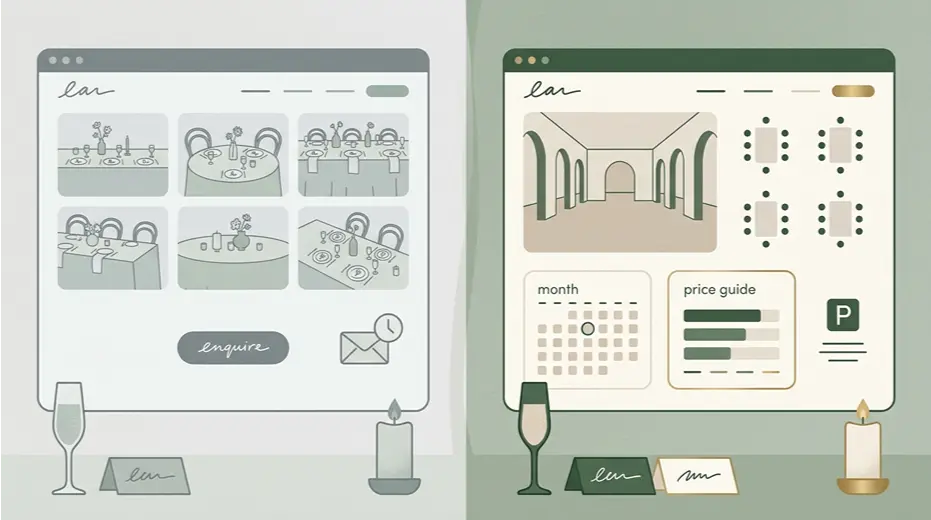
Most venue sites are beautiful galleries with a button at the bottom. The photographs do their job, and then the visitor hits a wall. Does the barn seat ninety for dinner, or only seventy once the dance floor goes in? Is Saturday free? What does a day cost?
Each unanswered question becomes an email, and each email costs your team time. Worse, the planner usually writes to several venues at once, so the one that answers on its website has a head start before anybody has picked up the phone.
A wedding venue website has one more job: getting the couple to a viewing. Put a book-a-viewing option beside the enquiry button, and list open days and wedding fairs with their dates. If couples live too far away to visit early, a video walkthrough or 360° tour on the site lets them see the rooms before they travel.
Room Pages That Settle the Question
A single page covering every space is quick to build and hard to rank. A page for each room gives a planner exactly what she searched for, and gives you room to explain properly. Think of it as the tour you would give at the front door, written down once so it works at midnight as well.
- Show capacity for each layout, such as dinner, reception, theatre and boardroom, rather than a single number
- Photograph the room empty as well as styled, so planners can picture their own event in it
- For weddings, give the ceremony room its own seated capacity and say whether civil ceremonies can be held there
Say plainly what is included and what costs extra. Planners forgive a higher price far more readily than a surprise.
Conference venue websites need a few extra details. Corporate bookers usually compare day delegate rates, so say what yours includes, for example room hire, refreshments, lunch and AV. If you have bedrooms, give the 24-hour delegate rate as well. For meeting rooms, show theatre, classroom, cabaret and U-shape capacities where the room can be set that way, and say whether it has natural daylight and a breakout space.
Hotels that host weddings and meetings sell two kinds of room. Bedrooms normally go through a booking engine, while function rooms need the dated enquiry form described below. If bedrooms bring in most of your income, our hospitality and tourism web design service is the better fit, because it is built around direct bookings.
The Enquiry Form Is Also a Data Collection Point
A good enquiry form asks for the date, the guest numbers and the type of event, and little else. That keeps it quick to complete and gives you what you need to reply. It also collects names, phone numbers and details of a family occasion, which is personal data, so the form needs a clear note on what happens to it.
Many owners have a cookie banner and a privacy page and assume the job is done. If you are not sure that your forms, tracking and policy match what the site really does, our GDPR website compliance service checks exactly that and tells you plainly where the gaps sit.
Access Information Is Part of the Sale
Guests include grandparents, wheelchair users and people who cannot manage stairs. Step free entrances, accessible toilets, hearing loops, drop off points and parking close to the door can decide whether a venue is even considered. Put those details on the room pages, not on a page nobody opens.
The same care should apply to the site itself. A planner using a screen reader or navigating by keyboard still needs to reach your enquiry form. A website accessibility audit tests exactly that, using real assistive technology rather than an automated scan alone.
Photograph Heavy Pages Need a Quick Home
Venue sites carry more imagery than almost any other kind. Galleries, room tours and seasonal photography can make pages slow, and a slow page is a poor first impression for a business that sells atmosphere. Planners often browse on a phone during a lunch break, so every second of loading counts.
Part of the answer is compressing images and trimming scripts, which our website speed optimisation service handles. The other part is the server underneath. Our managed WordPress hosting gives a site an environment configured for WordPress, with caching and monitoring in place, which helps image heavy pages stay quick when a wedding fair sends a rush of visitors.
Being Found Near the Planner’s Postcode
People search for a venue type and an area, such as barn wedding venues in a named county or conference rooms with parking. They tend to compare the first few results, and a map with reviews often appears before any website does.
Keep your name, address and phone number identical wherever they appear, ask recent clients for reviews, and name the towns and counties you serve on your room pages. These small habits carry more weight than any clever trick.
Helping Google Read Your Rooms
Search engines understand a page best when its details are labelled behind the scenes. For a venue, that means marking up your name, address, opening hours and public events such as open days and wedding fairs, so search engines read those details correctly. Our schema markup services handle that technical layer. It works best on pages that already contain honest prices and clear answers, because the labels only describe what the visible content says.
Planning for the Seasons
Demand for venues arrives in waves. Wedding season, the corporate calendar, Christmas parties and the run of enquiries after the New Year all bring different visitors with different questions. Refresh your packages and pages ahead of each wave, and check the enquiry form works on every device before the busy weeks begin.
Setting Realistic Expectations
A new site will not fill the diary in a week. Rankings take months to build, and local competition varies a great deal between a quiet county and a popular wedding region. What you can expect sooner is fewer emails that only ask the basics, and a clearer view of which rooms and pages bring in booked events.
Judge progress by dated enquiries and the number that turn into bookings, not by traffic alone. If you want a first step, send yourself an enquiry from your phone, using only your website. Notice where you hesitate and where the page feels slow. Those moments are your first list of improvements, and most of them cost very little to fix.