Skip to content
Accessibility Audit

Website Accessibility Audit UK WCAG 2.2 AA Compliance For Business Websites

An automated accessibility scanner can check a page in seconds. It can still miss problems that stop someone using your site. It cannot tell you whether a screen reader announces your checkout form in a sensible order, or whether someone navigating by keyboard alone can actually reach your enquiry button. A proper accessibility audit means testing against WCAG 2.2 Level AA properly, combining automated scanning with genuine keyboard navigation and screen reader testing. This matters beyond simple good practice too. The Equality Act 2010 already applies to UK websites, and if you sell into the EU the European Accessibility Act is tightening enforcement through 2026, meaning UK businesses increasingly face requirements from both directions at once. We audit your site properly, document exactly where it falls short, and help you fix it in a way that holds up.

Fixed-price quotes UK-based developers 90+ PageSpeed guaranteed
Web Ranko team working on Accessibility Audit
Tested against real screen readers, not just an automated scanner report

Digital Accessibility

What a proper accessibility audit actually covers, and why automated scans are not enough

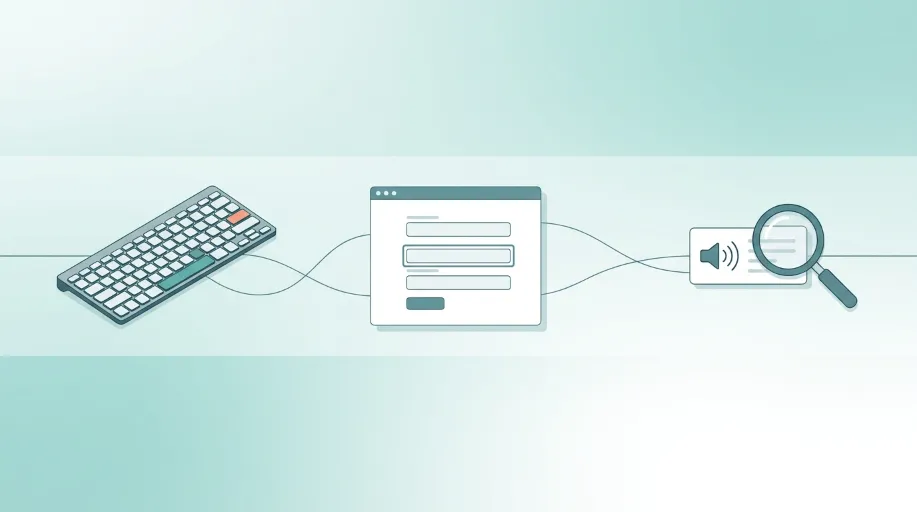
WCAG 2.2 is the current version of the Web Content Accessibility Guidelines, and Level AA is the standard most UK legal and procurement requirements are built around. It covers things like colour contrast, keyboard navigation, form labelling, heading structure, and how content works with assistive technology. An automated scanner can catch some of this reliably. Contrast ratios and missing alt text are fairly mechanical checks. What it cannot catch is whether the experience actually works, whether tab order makes sense, or whether a screen reader user can complete your booking form without getting stuck.

A proper audit combines both approaches. Automated scanning catches the mechanical issues quickly, and manual testing, actually using the site by keyboard alone and listening to it through a screen reader, catches everything a scanner cannot. We test with real assistive technology, not just a tool generated report. This sits alongside the Equality Act 2010, which already applies to websites providing services to the public, and for anyone trading into the EU, the European Accessibility Act adds a further layer of requirement that enforcement is tightening around through 2026.

Businesses that have never had a proper accessibility audit carried out
Sites relying only on an automated scanner as proof of compliance
Public sector or PSBAR affected organisations needing a defensible audit
Businesses trading into the EU needing to consider EAA requirements
Sites with forms, checkouts or bookings never tested by keyboard
Businesses preparing for a redesign who want accessibility built in from the start
Sites with no published accessibility statement
Organisations that need audit evidence for procurement or tender purposes
Web Ranko Accessibility Audit specialist at work

Common issues we fix

Forms that cannot be completed using keyboard navigation alone High
Insufficient colour contrast between text and background Med
Images missing meaningful alt text for screen reader users Med
Heading structure that does not follow a logical order Med
No accessibility statement published on the site High
Interactive elements with no visible focus indicator High
Content that relies on colour alone to convey meaning Med
Dynamic content updates not announced to screen reader users High

What's Included

What's Included in Accessibility Audit

A senior developer owns your project from first line to launch. Here is exactly what you get.

WCAG 2.2 Automated Scan

We start with a thorough automated scan against WCAG 2.2 criteria, covering the mechanical checks quickly before manual testing goes deeper.

  • Full site scan against WCAG 2.2 Level AA criteria
  • Colour contrast checked across every text and background combination
  • Missing or inadequate alt text identified across all images
  • Baseline report generated before manual testing begins

Keyboard Navigation Testing

We navigate your site using keyboard alone, checking whether every interactive element is genuinely reachable and usable without a mouse.

  • Full site navigation tested using keyboard alone
  • Tab order checked for logical, sensible sequencing
  • Focus indicators verified as visible on every interactive element
  • Forms and checkout flows tested for keyboard completion

Screen Reader Testing

Key pages and user journeys are tested with real screen reader software, checking how the site actually sounds and behaves for a genuine user.

  • Key pages tested with leading screen reader software
  • Form labelling and instructions checked for clarity when read aloud
  • Dynamic content updates checked for proper announcement
  • Navigation landmarks reviewed for logical page structure

Detailed Audit Report

Every issue found gets documented clearly against the specific WCAG criteria it relates to, prioritised so you know what to fix first.

  • Every issue mapped against the relevant WCAG 2.2 criterion
  • Issues prioritised by severity and impact on real users
  • Clear recommendations provided for each issue found
  • Report structured to support ongoing compliance evidence

Accessibility Statement Support

A published accessibility statement is often expected alongside genuine compliance work, and we help you produce one that reflects reality.

  • Accessibility statement drafted or reviewed against actual site status
  • Known limitations documented honestly rather than overstated
  • Statement structured in line with current expectations
  • Guidance given on keeping the statement current going forward

Remediation Support

Finding issues is only half the job, so we help fix them directly or guide your existing developer through the specific changes needed.

  • Direct remediation available for identified issues
  • Guidance provided for in-house teams. handling fixes themselves
  • Retesting carried out to confirm issues are genuinely resolved
  • Support available as new pages or features are added later

Why It Matters

Why UK Businesses Choose Webranko for Accessibility Audits

An automated scan alone gives a false sense of security. We test with real assistive technology, so what gets reported actually reflects how your site works for someone relying on it, not just what a tool can detect mechanically.

Web Ranko development team
Get a free Accessibility Audit audit

Genuine Manual Testing

We navigate and listen to your site using real keyboard and screen reader testing, not just an automated scan result.

Clear, Prioritised Reporting

Every issue is mapped against the specific WCAG criterion it relates to, so remediation work is focused and evidence based.

Built for Dual Compliance

Audits are structured with both the Equality Act 2010 and the European Accessibility Act in mind, relevant if you trade into the EU.

Senior Technical Understanding

Testing is carried out by people who understand both the technical build and the practical accessibility requirements involved.

How We Work

How Webranko Handles Website Accessibility Audits

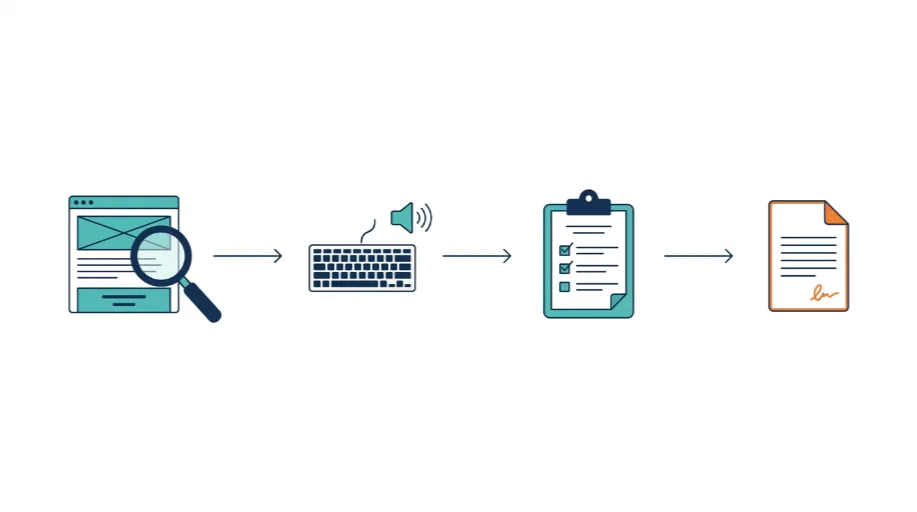
A structured audit process that combines automated scanning with genuine manual testing, so the results reflect real usability rather than a tool's best guess.

Web Ranko development team at work
Senior developers. Fixed-price. No surprises.
Week 1

Automated Scan and Manual Testing

We run a full WCAG 2.2 automated scan, then test key pages and journeys by keyboard and real screen reader software.

Week 2

Detailed Report and Prioritisation

Every issue found is documented against the relevant WCAG criterion and prioritised by severity and real-world impact.

Week 3 onwards

Remediation

Issues are fixed directly, or your existing team is guided through the specific technical changes required.

Ongoing

Statement and Retesting

An accessibility statement is finalised and retesting confirms the issues found have genuinely been resolved.

Real Results

What Happens After a Website Accessibility Audit

35+ Years' Combined Web Experience
50+ WCAG 2.2 Criteria Checked
2wk Typical Audit Timeline
24hr Average Response To Your Enquiry
Laura Bennett

Our automated scanner tool told us we were in good shape, and we genuinely believed it. Webranko tested our booking form with an actual screen reader and found it was practically impossible to complete without sight. Having someone actually test it properly, rather than trust a scan result, was the wake up call we needed.

Laura Bennett Operations Manager, Bennett Physiotherapy Clinics

In-Depth Guide

The Complete Guide to Accessibility Audit

Our team has written a comprehensive guide covering technical specs, best practices, and the exact approaches we use on every project.

A website accessibility audit is something most business owners assume is somebody else’s problem. A nice-to-have, maybe, but not something that touches them directly. Then a customer emails saying they couldn’t complete a purchase using a screen reader, and it’s suddenly their responsibility.

We’ve sat across the table from enough UK businesses now to know the usual starting point. Someone ran their site through a free online scanner once. They got a score that looked reasonable. They marked accessibility as done. It rarely is.

WCAG 2.2 AA Compliance

Here’s what UK businesses actually need to know before assuming they’re covered.

Question Answer
Is website accessibility a legal requirement in the UK? The Equality Act 2010 already applies to websites providing services to the public
What standard should a UK business aim for? WCAG 2.2 Level AA is the recognised benchmark most requirements are built around
Does an automated scan prove compliance? No. It catches mechanical issues but misses how the site actually behaves for a real user
Does the European Accessibility Act apply to UK firms? Yes, if you sell products or services into the EU market
How long does a proper audit take? Around two weeks, combining automated scanning with manual testing
What’s the biggest gap we typically find? Forms and checkout flows that cannot be completed by keyboard alone

That last row is worth sitting with for a second. Forms are usually where a business makes its money, and they’re also where accessibility most often quietly fails.

Why an Automated Scan Told You Everything Was Fine

In our testing across dozens of client sites, automated scanners are genuinely useful for one thing. They catch missing alt text, weak colour contrast, and a handful of other mechanical issues quickly and cheaply. What they cannot do is use your site the way a real person would.

We worked with a physiotherapy clinic group in the Southeast whose online booking form looked perfectly normal on screen. Their previous scanner report had come back clean. When we tested it with an actual screen reader, the form fields were read out in an order that made no logical sense, and the submit button had no accessible label at all, just announced as button with nothing telling a screen reader user what it actually did. Nobody had ever tried booking an appointment without using their eyes. Once we did, the problem was obvious within minutes.

That’s the difference between a scan result and a genuine audit. One tells you what a machine could detect. The other tells you what actually happens when someone tries to use your site.

What a Proper Audit Actually Checks

Getting past a surface-level scan means testing the things a tool simply cannot judge on its own.

  • Keyboard navigation across every interactive element, to check if a person without a mouse can reach and use everything
  • Screen reader testing on key journeys, like checkout, booking, or contact forms. Listen to how the site sounds. Do not assume it reads sensibly
  • Focus indicators confirming every clickable element shows a visible marker when navigated to by keyboard, not just styled for mouse hover
  • Heading structure reviewed for a logical order, since screen reader users often navigate by heading rather than reading top to bottom
  • Dynamic content checked for proper announcement, covering things like form validation errors or content that updates without a page reload
  • Colour and contrast verified beyond the basic pass or fail a scanner gives, checking real-world readability across your actual design

Miss any of these and a site can score well on paper while remaining genuinely difficult, sometimes impossible, for someone relying on assistive technology to actually use.

Where This Sits Alongside Your Other Compliance Work

Accessibility rarely exists in isolation from the rest of a site’s compliance picture. If your privacy policy and cookie consent setup haven’t been reviewed properly either, the two often need addressing together rather than separately. Our GDPR Website Compliance service covers that area. Many businesses come to us for an accessibility audit. They often need both checked in the same chat. This is because forms collect data and affect both areas.

Security matters here too, more than people expect. A site that’s been compromised or is running on outdated software often has accessibility regressions sitting alongside the security gaps, since neither has been maintained properly. If no one has checked either recently, consider an accessibility review. It works well with our Website Security Audit. This gives you the full picture, rather than fixing one thing while another goes unnoticed.

Building Accessibility In From the Start

Businesses that struggle least with accessibility plan for it during design, not after launch. Retrofitting later is much more expensive. If you’re already planning a redesign or a fresh build, that’s genuinely the best moment to get this right from the outset.

Our UI/UX design team builds accessibility considerations directly into the research and wireframing stage, checking tab order and contrast decisions before a single line of final design gets approved. It’s considerably cheaper to design a form correctly the first time than to rebuild it eighteen months later after a customer complaint or an audit finding forces the issue.

The European Angle Most UK Businesses Are Missing

Here’s something that’s catching a growing number of UK businesses off guard. If you sell products or services to customers in the EU, even as a smaller operation, the European Accessibility Act applies to you, and enforcement has been tightening steadily through 2026.

This isn’t a distant, theoretical requirement anymore. UK firms trading across the Channel now need to consider the Equality Act at home. They also need to meet EAA duties abroad. These rules do not always align perfectly. A proper WCAG 2.2 audit gives you the strongest foundation for satisfying both, since the technical standard sits underneath each set of legal requirements even where the exact enforcement mechanisms differ.

What This Actually Comes Down To

None of this needs to feel overwhelming. Most sites we audit have a handful of recurring issues, not hundreds of scattered problems. Fixing the genuinely important ones, the form that can’t be completed by keyboard, the checkout button with no accessible label- tends to matter far more than chasing a perfect score on every minor criterion.

Getting a proper audit done means finding out where you actually stand, rather than trusting a scanner result that was never built to test the things that matter most.

FAQ

Accessibility Audit questions, answered honestly

Questions UK businesses ask us most before having their website accessibility audited.

Ask us anything
Is my website legally required to be accessible in the UK?

The Equality Act 2010 already applies to websites providing services to the public, meaning inaccessible sites can carry legal risk. Public sector bodies face additional PSBAR requirements, and businesses trading into the EU face further obligations under the European Accessibility Act.

How much does a website accessibility audit cost in the UK?

Most audits fall between £X and £Y depending on site size and how many forms and checkout flows need testing. The free initial scan tells you which end you’re at before you commit.

What is WCAG 2.2 Level AA?

WCAG 2.2 Level AA is the current recognised standard for web accessibility, covering areas such as colour contrast, keyboard navigation, form labelling and screen reader compatibility. It is the benchmark most UK legal and procurement requirements are built around.

Is an automated accessibility scan enough to prove compliance?

No. Automated scans catch mechanical issues like contrast ratios and missing alt text, but cannot detect whether a screen reader user can actually complete a form or navigate a page. Manual testing is needed to catch what automated tools miss.

Does the European Accessibility Act apply to UK businesses?

It can, if you sell products or services into the EU market. Enforcement has been tightening through 2026, meaning UK businesses trading with EU customers increasingly need to consider both UK and EU accessibility requirements together.

Start today

Would Your Site Survive a Real Accessibility Test

An automated scan can look reassuring while genuine issues sit underneath it undetected. Let's find out how your site actually performs for someone using a screen reader or keyboard alone.

What's in your free consultation

Delivered in 48 hours by a senior developer.

Full WCAG 2.2 audit combining automated and manual testing
Clear report prioritised by severity, not a generic scan printout
Accessibility statement support included as standard
Remediation help available, not just a list of problems