Skip to content
DDoS Protection

DDoS Protection for UK Websites: Traffic Filtering That Keeps You Online

A site does not need to be a major brand to get hit by a DDoS attack. We see small business sites targeted regularly, sometimes by a competitor testing how far they can push a rival offline, sometimes by automated bot networks that do not care who the target is. Real protection means filtering traffic at the network edge. It stops harmful requests before they reach your server. It does not rely on your hosting to absorb the flood. We configure proper mitigation, set rate limiting against automated abuse, and monitor traffic patterns so an attack gets caught early rather than discovered when the site is already down. This sits at the infrastructure level, separate from cleaning up an active infection, which our Website Malware Removal service covers, and separate from general threat detection, covered by our Security Monitoring service.

Fixed-price quotes UK-based developers 90+ PageSpeed guaranteed
Web Ranko team working on DDoS Protection
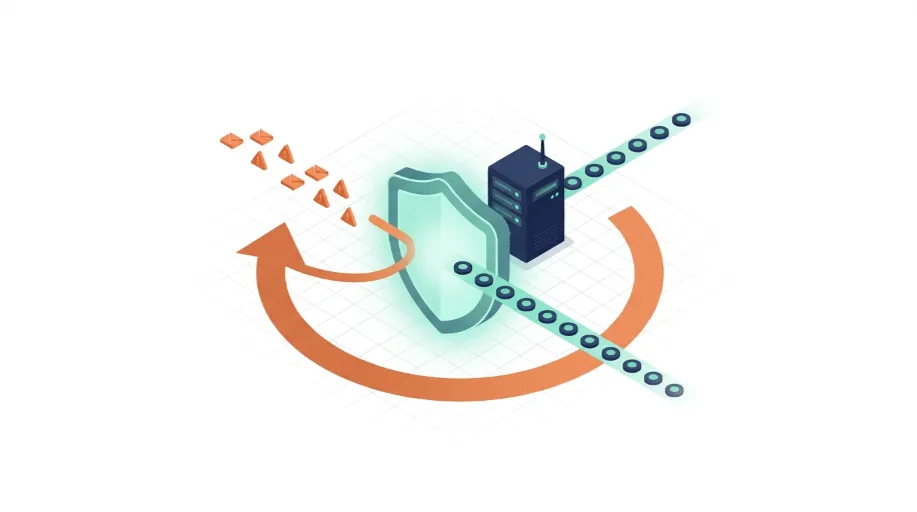
Malicious traffic filtered before it ever reaches your server

Infrastructure Defence

What DDoS protection actually involves, and why it sits apart from general security

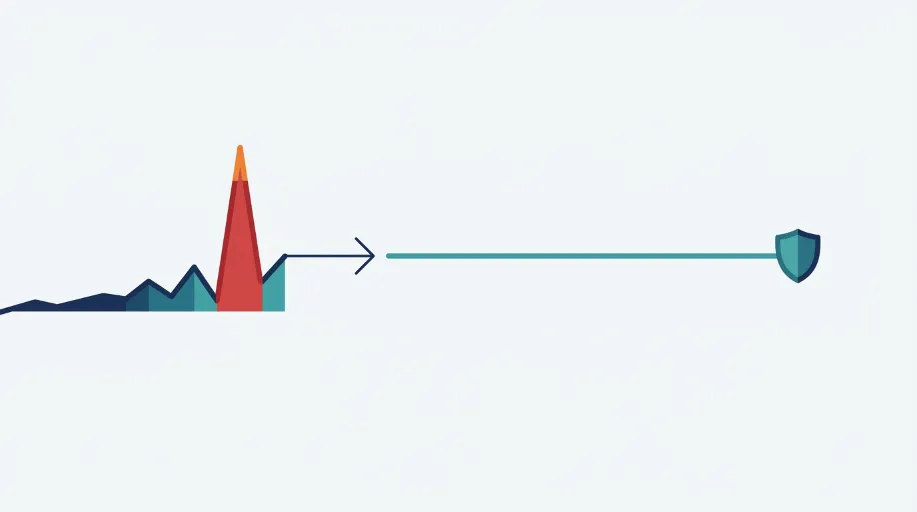
A DDoS attack works by overwhelming a server with traffic, more requests than it can realistically handle, until the site slows to a crawl or falls over completely. This is not the same as malware, which infects a site from the inside, or a hacking attempt trying to gain access. It is a brute force flood aimed purely at taking a site offline or making it unusable, often coming from thousands of separate sources at once, which makes it very different to defend against than a single malicious login attempt.

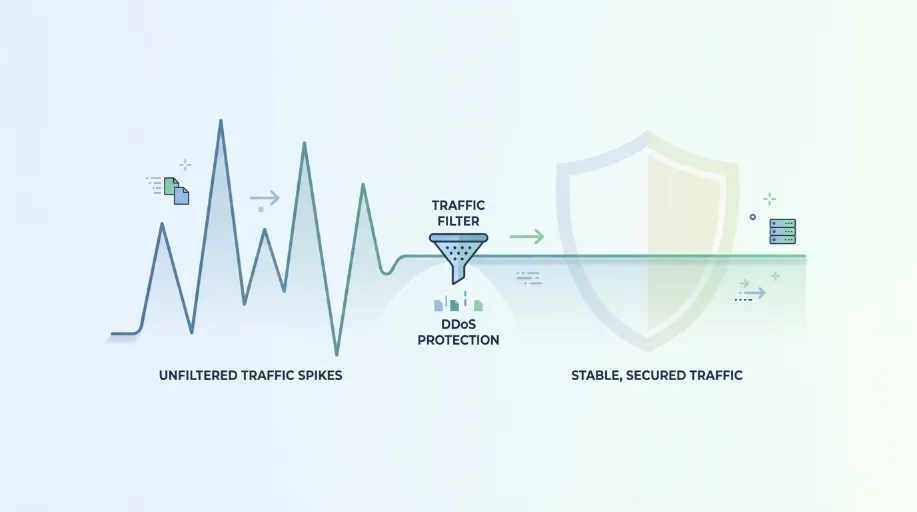
Proper protection works at the network edge, filtering traffic before it reaches your actual server. Legitimate visitors get through as normal, while suspicious traffic patterns, whether that is a flood from a botnet or an automated scraper hammering your site with requests, gets identified and blocked. This is entirely separate from cleaning up a site that has already been compromised, which is a different job covered by our Website Malware Removal service, and separate from ongoing monitoring for suspicious activity, covered by our Security Monitoring service. DDoS protection is specifically about keeping the site reachable under attack.

It is also worth knowing that not all DDoS attacks look the same. Some are purely volumetric, flooding your connection with raw traffic until nothing else gets through. Others operate at the application layer, sending requests that look entirely legitimate individually but are designed to exhaust database queries, search functions or checkout processes. The second kind is harder to spot and routinely gets past basic hosting-level protection, because every request appears valid on its own. We configure filtering against both, which is why the setup is tailored to how your site actually works rather than switched on generically.

Who This Is For

Sites that have already experienced a slowdown or outage during a traffic spike
Ecommerce sites where downtime directly costs sales every hour it lasts
Businesses in competitive industries where rivals may target their site
Sites with no traffic filtering or rate limiting currently configured
High-profile campaigns or launches expecting sudden traffic increases
Web Ranko DDoS Protection specialist at work

Common issues we fix

No traffic filtering configured at the network edge High
Server resources exhausted quickly under a sudden traffic spike High
No rate limiting in place against automated request floods High
Legitimate traffic slowed down alongside malicious requests during an attack Med
No alerting in place to flag unusual traffic patterns early Med
Hosting plan with no capacity to absorb even moderate traffic surges High
Login and form pages left exposed to automated bot flooding Med
No prior incident response plan if the site does go offline Med

What's Included

What's Included in DDoS Protection

A senior developer owns your project from first line to launch. Here is exactly what you get.

Exposure Assessment

We start by reviewing your current hosting, traffic patterns and existing protection to understand exactly how exposed your site is right now.

  • Review of current hosting capacity and traffic handling
  • Assessment of any existing filtering or rate limiting in place
  • Identification of the pages and forms most at risk
  • Written summary of exposure before any configuration begins

Traffic Filtering Setup

Filtering is configured at the network edge, so malicious traffic is identified and blocked before it ever reaches your server.

  • Network-edge filtering configured for your specific site
  • Known malicious traffic sources blocked automatically
  • Legitimate visitor traffic left unaffected and passing through cleanly
  • Configuration tested to confirm genuine traffic is not impacted

Rate Limiting Configuration

Rate limiting stops automated scripts hammering login pages, forms or specific endpoints with excessive requests in a short space of time.

  • Rate limits applied to login and sensitive form endpoints
  • Thresholds set to allow genuine users without unnecessary friction
  • Automated bot request patterns identified and restricted
  • Limits reviewed and adjusted as traffic patterns become clearer

Traffic Pattern Monitoring

We monitor traffic continuously, so an unusual spike gets flagged early rather than discovered only once the site has already slowed down.

  • Continuous monitoring of traffic volume and request patterns
  • Alerts triggered when unusual spikes are detected
  • Historical baseline established to spot genuine anomalies
  • Regular reporting on traffic trends available on request

Cloudflare or CDN-Level Protection

We configure protection at the CDN layer where appropriate, adding a further buffer between your server and incoming traffic of any volume.

  • CDN-level protection configured across your domain
  • Challenge pages applied selectively against suspicious traffic
  • Geographic and behavioural filtering configured where useful
  • Configuration reviewed periodically as traffic evolves

Incident Response Support

If an attack does happen, having a plan already in place makes the difference between a brief slowdown and hours of genuine downtime.

  • Response plan agreed in advance of any incident occurring
  • Direct support available if an attack is actively happening
  • Post-incident review to strengthen protection going forward
  • Clear communication throughout rather than silence during downtime

Why It Matters

Why UK Businesses Choose Webranko for DDoS Protection

Downtime during an attack costs more than the attack itself, in lost sales, lost trust, and lost search visibility while the site is unreachable. We configure protection properly at the infrastructure level, rather than hoping a hosting plan absorbs whatever gets thrown at it.

Web Ranko development team
Get a free DDoS Protection audit

Filtering at the Network Edge

Malicious traffic is blocked before it reaches your server, rather than your hosting trying to absorb the full flood.

Genuine Traffic Left Untouched

Filtering is configured carefully so legitimate visitors are never mistakenly blocked or slowed down.

Continuous Monitoring

Traffic is watched constantly, so an unusual spike gets caught early rather than discovered after the site is already struggling.

Senior Infrastructure Experience

Protection is configured by people who understand network-level defence directly, not a generic plugin switched on and forgotten.

A Plan Before It Is Needed

Incident response is agreed in advance, so an attack does not turn into hours of confusion about what to do next.

How We Work

How Webranko Handles DDoS Protection

A structured setup that starts with understanding your actual exposure, so protection is configured around genuine risk rather than a generic template.

Web Ranko development team at work
Senior developers. Fixed-price. No surprises.
Day 1

Exposure Assessment

We review your hosting, traffic patterns and current protection to understand exactly how vulnerable your site is right now.

Day 2

Traffic Filtering Setup

Network edge filtering is configured to block malicious traffic while leaving genuine visitors completely unaffected.

Day 2 to 3

Rate Limiting and CDN Configuration

Rate limits and CDN level protection are applied to sensitive endpoints and across the full domain.

Day 3

Testing and Verification

The configuration is tested to confirm legitimate traffic passes cleanly while suspicious patterns are correctly blocked.

Ongoing

Monitoring and Response

Traffic is monitored continuously afterwards, with a response plan already in place should an attack occur.

Real Results

What Happens After DDoS Protection Setup

85+ Sites delivered
99..9% Typical Uptime After Protection
2 to 3days Typical Setup Timeline
24hr Average Agency Query Response Time
Mark Ellison

Our site went down twice in one month during what we later found out was a targeted flood of traffic, and our hosting provider just told us to upgrade our plan. Webranko set up proper filtering at the network level instead, and we have not had a single outage since, even during periods where the traffic spikes are clearly still being attempted.

Mark Ellison Director, Ellison Trade Supplies

In-Depth Guide

The Complete Guide to DDoS Protection

Our team has written a comprehensive guide covering technical specs, best practices, and the exact approaches we use on every project.

DDoS protection is something most UK businesses only think about after downtime has already cost them money. An hour offline during a busy sales period is not a minor inconvenience. It is a direct hit to revenue that nobody can properly claw back afterwards.

We get calls fairly regularly from businesses whose site suddenly slowed to a crawl or dropped offline entirely, with no obvious cause. More often than they expect, the answer is a traffic flood, sometimes deliberate, sometimes automated and entirely indiscriminate.

DDoS Attacks on UK Websites: The Direct Answer

Here’s the breakdown UK businesses need before assuming this doesn’t apply to them.

Question Answer
What is a DDoS attack? A flood of traffic from many sources aimed at overwhelming a server until the site slows or goes offline
Does site size matter? Not particularly. Small business sites get targeted regularly, often by automated bot networks with no specific target in mind
How is it different from hacking? Hacking aims to gain access or steal data. A DDoS attack aims purely to disrupt availability
Where should filtering happen? At the network edge, before traffic reaches your actual server
Can hosting alone handle it? Rarely. Standard hosting plans are built for normal traffic, not a sudden flood designed to overwhelm
How quickly can protection be set up? A properly configured setup typically takes two to three days

That last point matters more than people assume. A lot of businesses only look into protection after their first outage, when a couple of days spent setting it up properly beforehand would have avoided the problem entirely.

Why Small Business Sites Get Targeted Too

In our testing and client work across various sectors, we’ve found the assumption that DDoS attacks only hit large brands is simply wrong. We worked with a trade supplies business in the Midlands whose site went down twice within a single month. Their initial thought was a hosting fault. It wasn’t.

What we found was a sustained flood of automated requests, the kind generated by bot networks that don’t discriminate by company size, hitting their server hard enough to exhaust its capacity entirely. Their hosting provider’s advice had simply been to upgrade the plan, which would have helped marginally while doing nothing to address the actual traffic pattern causing the problem.

That’s the gap that catches most businesses out. Bigger hosting absorbs slightly more traffic before struggling. It doesn’t filter anything. The flood still reaches the server, it just takes a little longer to bring things down.

One thing worth knowing if you suspect an attack is deliberate rather than automated: launching a DDoS attack is a criminal offence in the UK under the Computer Misuse Act 1990, and incidents can be reported to Action Fraud. The NCSC also publishes guidance on denial-of-service mitigation for UK organisations. Realistically, attribution is difficult and most businesses prioritise staying online over pursuing it, but it is worth knowing the option exists, and worth keeping the traffic logs that would support it. Our monitoring setup retains those by default.

What Traffic Filtering Actually Does

Proper DDoS protection works differently to simply throwing more server resource at the problem. It filters requests before they ever reach your site.

  • Network-edge filtering identifies and blocks malicious traffic patterns before they consume any server resource at all
  • Rate limiting restricts how many requests a single source can make in a short window, stopping automated floods on login pages and forms
  • Behavioural analysis distinguishes between genuine visitor patterns and the repetitive, mechanical patterns typical of a bot-driven attack
  • Geographic and source filtering applies extra scrutiny to traffic from sources with no legitimate reason to be requesting your pages
  • Continuous monitoring establishes a normal traffic baseline, so genuine anomalies get flagged quickly rather than discovered after the fact

Configured properly, legitimate visitors never notice any of this happening. They browse the site as normal, completely unaffected, while the malicious traffic never makes it past the filtering layer to begin with.

This Is Not the Same Job as Cleaning an Infection

It’s worth being clear about where DDoS protection sits, because it gets confused with other security work fairly often. A DDoS attack is not malware, and it is not someone gaining unauthorised access to your site.

If your site has already been compromised, showing symptoms like unexpected redirects, spam content appearing, or search engines flagging it as unsafe, that’s an active infection needing cleanup, which is a different job entirely. Our Website Malware Removal service deals specifically with that scenario, removing malicious code and closing the entry point that allowed it in.

DDoS protection instead sits purely at the availability layer, keeping the site reachable under a traffic flood rather than dealing with anything already inside it.

Where This Fits Into Your Wider Security Picture

DDoS protection is one piece of a broader security posture, not a replacement for the rest of it. A site can be perfectly protected against traffic floods and still carry other vulnerabilities entirely unrelated: outdated plugins, weak passwords, poor file permissions.

If you’re unsure how your site stacks up more broadly, that’s exactly what our Website Security Audit covers, looking across the full picture rather than just the traffic layer. We often find that businesses asking about DDoS protection specifically have other gaps sitting alongside it that are equally worth addressing while we’re already reviewing the setup.

The Server Underneath Still Matters

Filtering catches most of the malicious traffic before it arrives, but the server itself still plays a role in how well a site handles genuine surges, whether that’s a legitimate traffic spike or the portion of an attack that inevitably slips through any filtering layer.

A server running on shared hosting with limited resource allocation will struggle far sooner than one properly configured for the traffic it needs to handle. This is where infrastructure and protection genuinely overlap. Our Website Hosting and Server Management service makes sure the server itself has the capacity and configuration to handle traffic properly, working alongside the filtering layer rather than leaving it to do all the work alone.

Getting Ahead of It Rather Than Reacting

Most businesses we talk to about DDoS protection are calling us after an outage, not before one. That’s understandable. It’s not the kind of thing anyone thinks about until it directly costs them money.

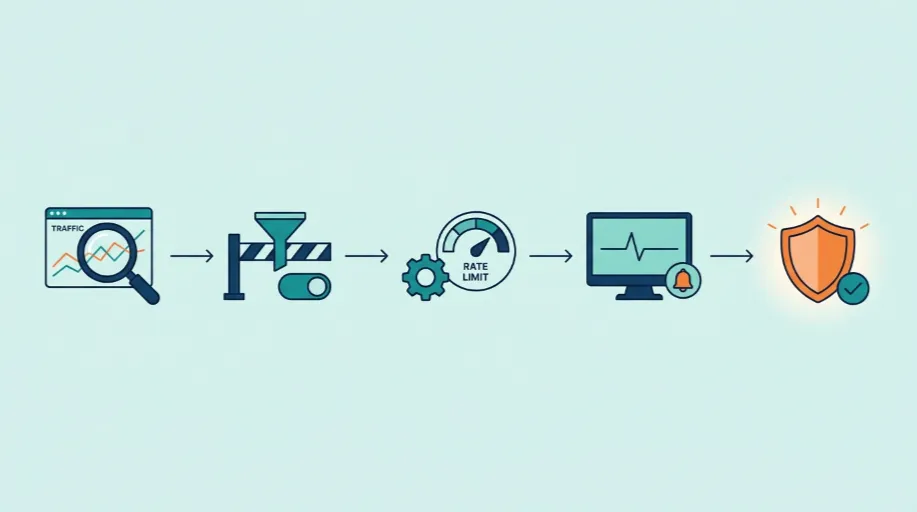
The setup itself isn’t complicated once someone actually goes through it properly, assessing your current exposure, configuring filtering at the network edge, applying sensible rate limits, and putting monitoring in place so anything unusual gets caught early. What takes a couple of days to set up properly can save considerably more than that in the downtime it prevents, and unlike a lot of security work, the benefit here is something you can actually measure the moment traffic behaves badly and your site simply stays up regardless.

FAQ

DDoS Protection questions, answered honestly

Questions UK businesses ask us most before setting up DDoS protection.

Ask us anything
How do I protect a WordPress site from DDoS attacks?

Protection works best at the network edge, filtering traffic before it reaches your server, combined with rate limiting on login and form pages. Relying purely on hosting capacity to absorb an attack rarely holds up once traffic volume genuinely increases.

Can a small business website actually be targeted by DDoS attacks?

Yes. Small business sites are targeted regularly, sometimes by automated bot networks that attack indiscriminately, and sometimes deliberately by a competitor. Size does not determine risk, exposure and existing protection do.

What is the difference between DDoS protection and general security monitoring?

DDoS protection specifically filters and blocks traffic floods aimed at taking a site offline. Security monitoring covers broader threat detection such as malware or unauthorised access attempts. Both matter, but they address different types of risk.

Will traffic filtering block genuine visitors from reaching my site?

Properly configured filtering is designed to distinguish malicious traffic from genuine visitors, so legitimate users should not be affected. Poorly configured filtering can cause false positives, which is why careful setup and testing matter.

How quickly can DDoS protection be set up?

A typical setup takes two to three days, covering exposure assessment, traffic filtering configuration and testing. Urgent cases where a site is actively under attack can often have basic filtering applied more quickly as an immediate measure.

How much does DDoS protection cost?

It depends on your traffic volume, how your hosting is configured, and whether you need ongoing monitoring alongside the initial setup. A standard business site is straightforward; a high-traffic ecommerce platform with multiple endpoints takes longer to configure properly. We quote a fixed price after the free exposure check, so you know the number before committing.

Start today

Is Your Site Actually Protected Against a Traffic Flood

Most sites find out they were exposed only after they have already gone offline. Let's check your current setup before that happens to you.

What's in your free consultation

Delivered in 48 hours by a senior developer.

Full exposure assessment of your current hosting and setup
Traffic filtering configured at the network edge
Continuous monitoring with alerts for unusual traffic spikes
Incident response plan agreed before it is ever needed